Asus ROG Strix G18 G815LP Gaming Laptop Review – Winner With Noticeable Caveats
Asus Strix G18 G815LP is a 2327 high-end gaming laptop with a Intel Core Ultra 9 275HX CPU at the core, WQXGA Display with 240 Hz refresh rate 18″ display and an Nvidia GeForce RTX 5070 GPU at the core. Today we will review the Asus ROG Strix G18 and also compare it with the previous Acer laptop that I returned, to see what works better in Asus and what is actually worse. We will compare this new Asus laptop with the Acer Nitro 18 AI AN18-61-R14D (2400 USD) and with the Khadas Mind 1 Mini PC (799 USD).

Introduction
After I returned the Acer Nitro 18 laptop, I still needed a workstation or portable gaming machine to take with me while on trips, so I shifted my focus away from Acer and now onto Asus, which promises and is known for a better build quality. I owned a number of Asus products and HIFIMAN even had a collaboration with them for a pair of headphones, but I somehow managed to get this laptop locally, for what I believe is a decent price, and also with a far less fun configuration that I would’ve wanted but I wanted to not splurge too much as the price increases with 20% – 30% if you want anything even slightly better, CPU or GPU.
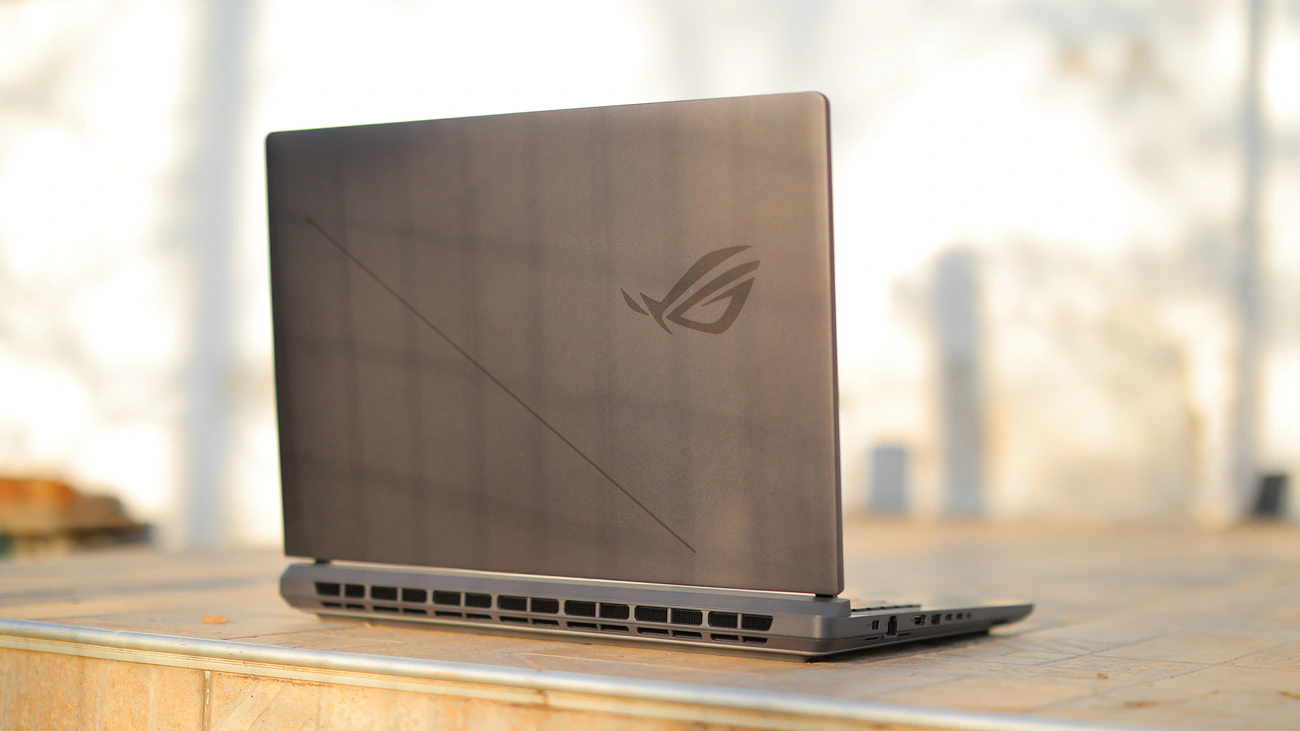
As an Amazon Influencer, I earn from qualifying purchases, and using the purchase links in my reviews helps me maintain this website and Youtube Channel. Audiophile-Heaven has no Ads and our Youtube Channel has no midroll ads, and our work is supported by Affiliate Links and Donations. This laptop is a personal unit that I purchased from eMag Romania, which I hope I will not have to return soon as I actually like it quite a lot and would see myself using for a while.
Product Link
Amazon – https://amzn.to/4tPYCB9
Build Quality – Design
Asus has far more marketing materials and is more bold in the approach compared to Acer, so it is fun to unbox a much better package, yet inside the product is what matters. Speaking of which, G18 is now a series of laptops with an Intel Core 275Hx CPU, or what is currently the flagship from Intel, although Asus makes those with a 9955HX CPU as well. I personally like Intel more this time around because from what I gather AMD has a higher idle power draw and higher power draw in general which would make it a worse option for portability for me. With up to 175W GPU, if you get a flagship, I went with 5070 this time around but I am considering returning this one to get one with a 5070ti GPU. This GPU has Advanced Optimus, and it allows you to change from dGPU to iGPU on the fly. Max power for the CPU is quite high at 75W quoted max, and a measured whopping 175W in benchmarks.
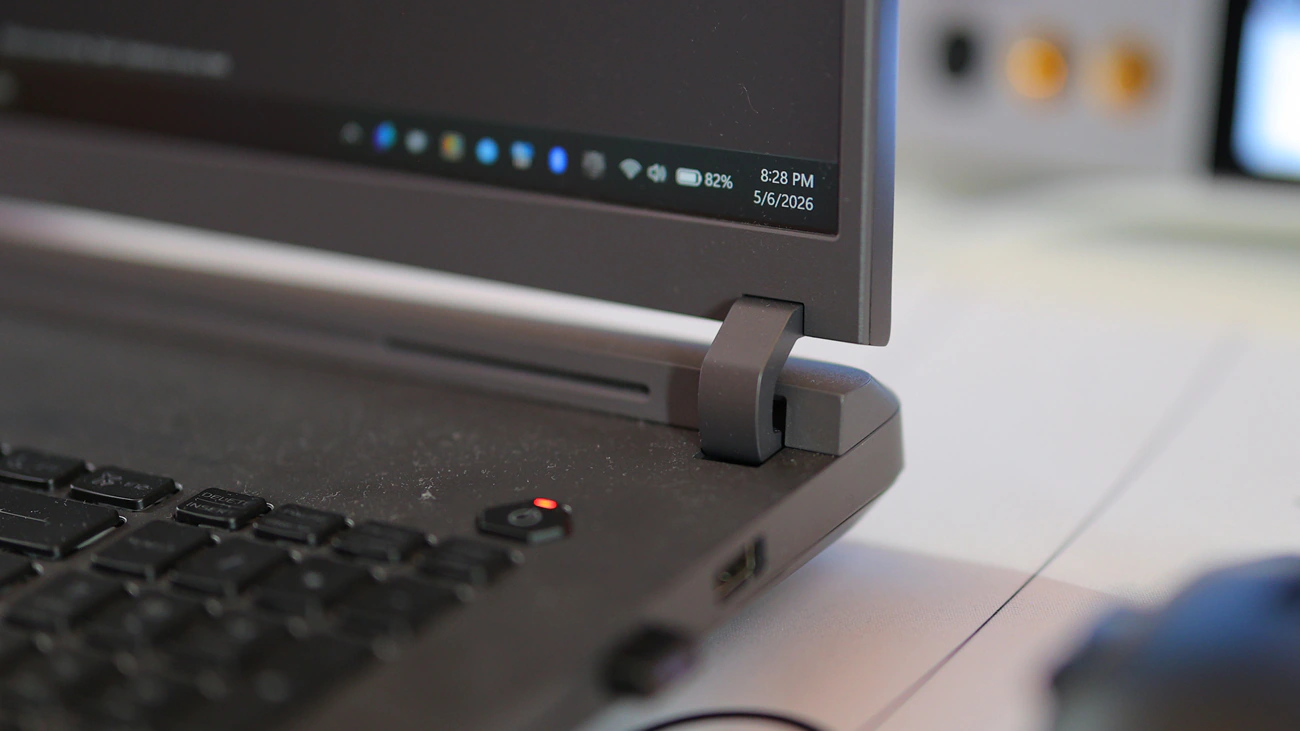
You get a huge heatpipe, and G18 is also much heavier than Acer, with this 18″ laptop having a weight of 3.3 KG, heaviest laptop that has been recently released. It combines a good amount of raw power, but the specific variant I have, which is G815LP only came with 5070 and 16 GB of RAM. The limits shown in the marketing are absolutely useless, as the company quotes a total of 55W for the CPU and 175W for the GPU, along with a max manual of 75W for the CPU and 175W for the GPU. The main issue here is that neither 5070, 5060, 5050 or 5070Ti does not come with 175W TDP, and the CPU already drains so much more power than either 55W or 75W.

Regardless of that, Intel Core Ultra 9 275Hx does have far more raw processing power than AMD AI 9 365, but 275Hx has a slightly weather embedded iGPU, but so much better max processing. Now, this is misleading, but when you have a faster CPU, even if it is theoretically less efficient at max and idle draw, it will consume less power on the same task, it just can consume more and will be more fluid, snappier and faster.
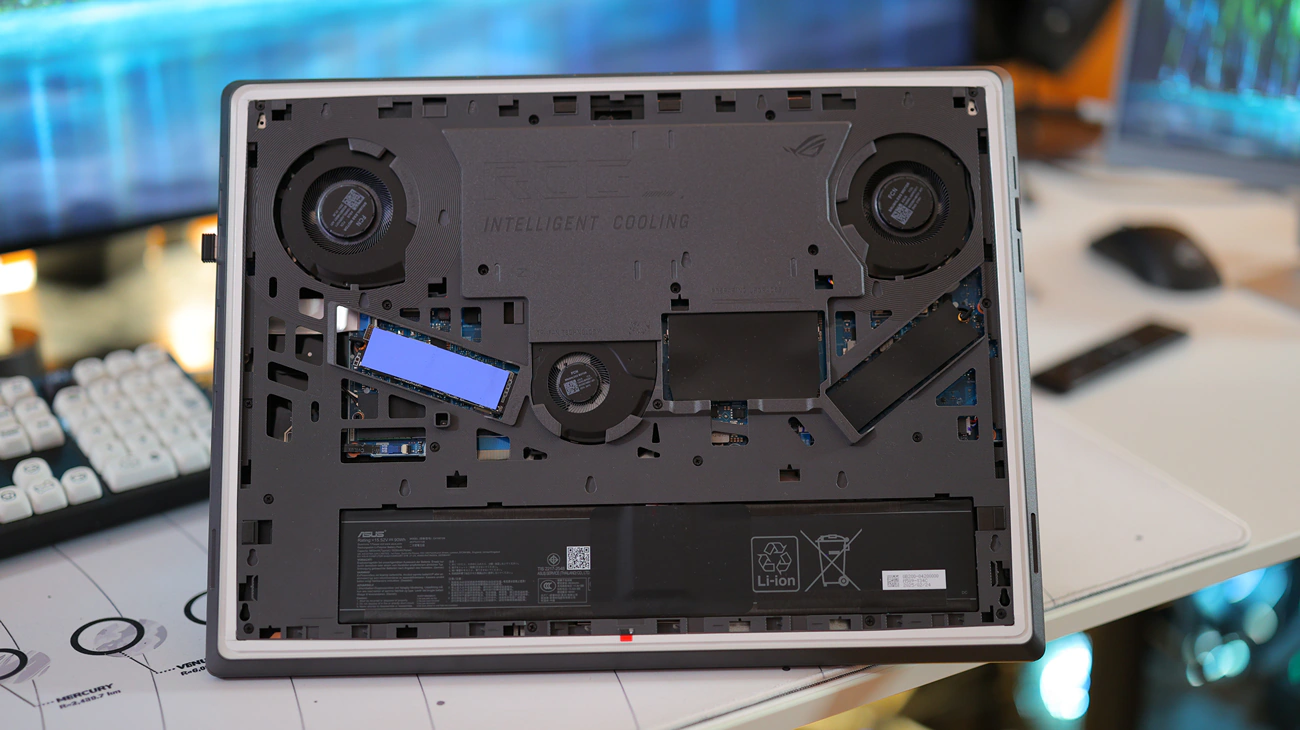
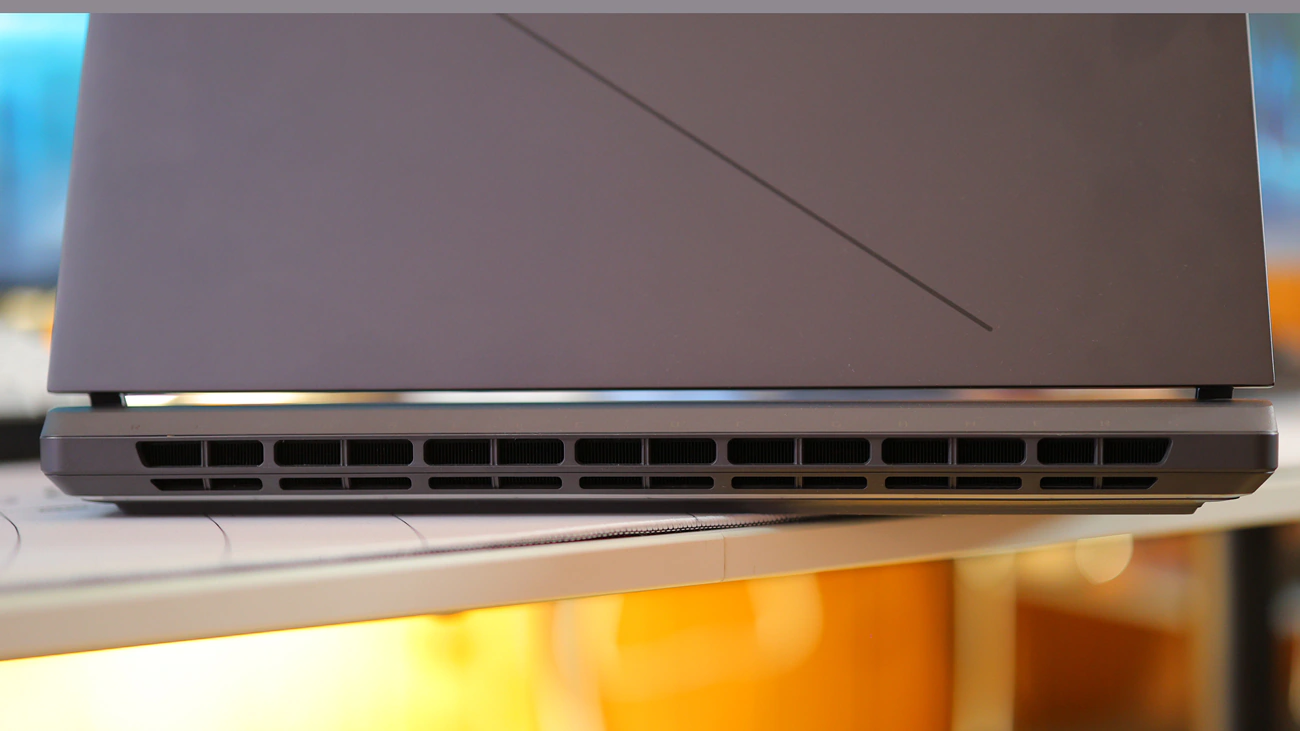
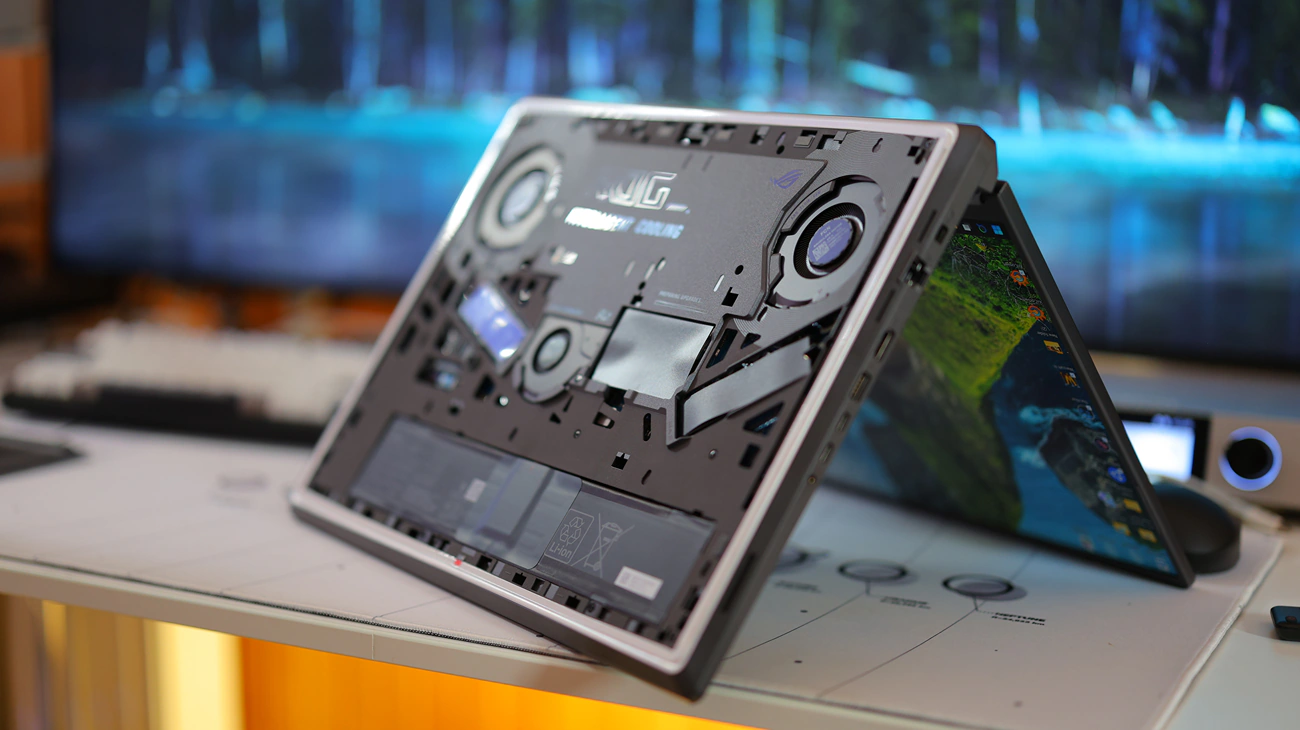
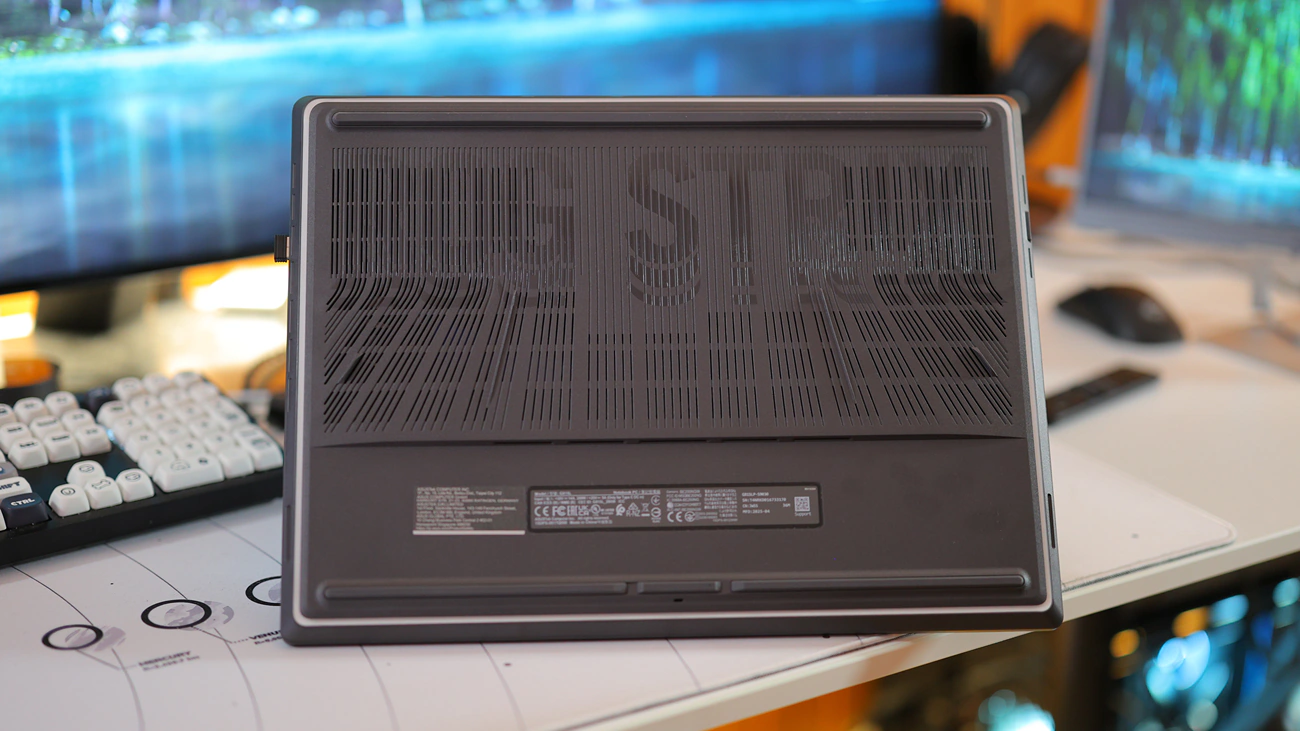
One good thing they mention in the marketing material is that you can remove the bottom using a latch button, and you have access to the underbelly of the laptop, good for cleaning. This gives you access to 2 SSD slots and 2 RAM slots, but you have to buy one with a spec good enough to justify spending your money on RAM or SSDs at the current prices. To actually have access to the motherboard, replace fans, speakers or do any advanced maintenance, you have to unscrew everything else underneath that latch-based bottom plastic cover. The bottom plastic cover has dust filters above the 3 fans. Speaking of which, the cooling solution employed by Asus has 3 fans inside, which I find to be insane, but actually it does need one for the GPU, one for the CPU, and one for the motherboard.

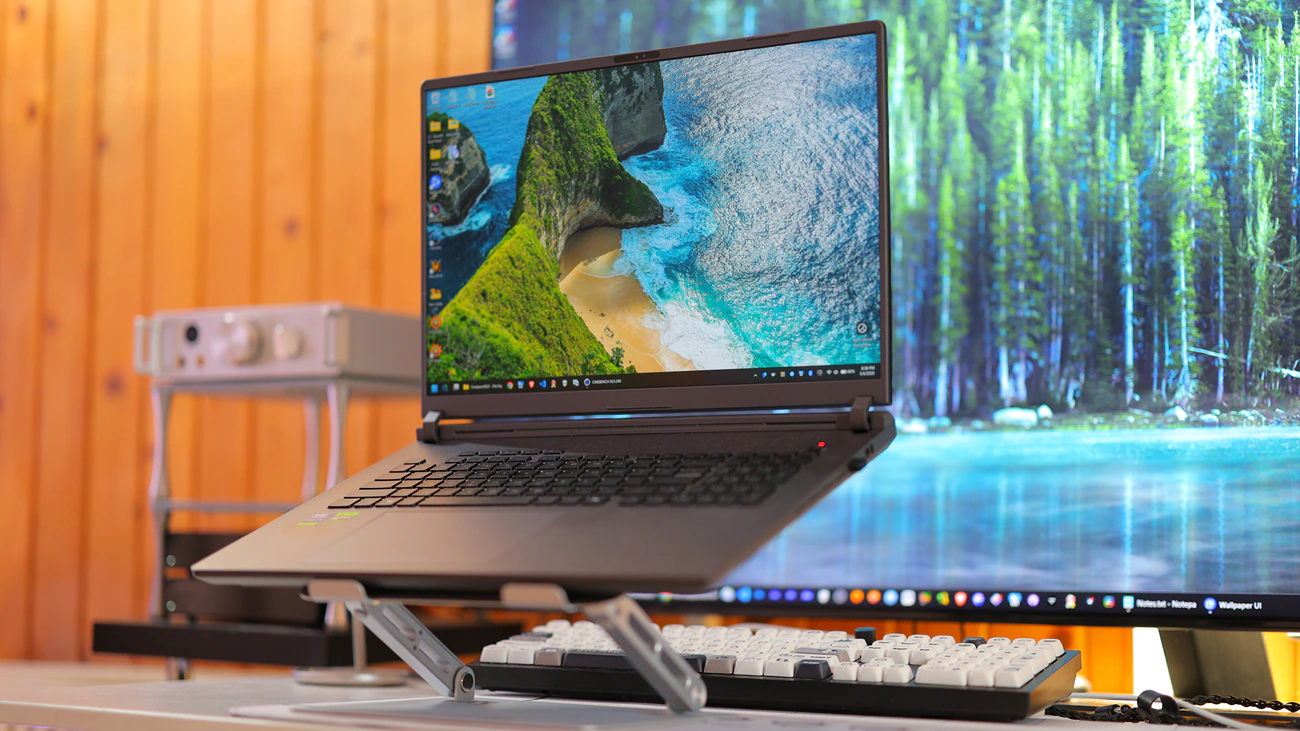
The display used by Asus is an interesting story, because it is far too large, has a 100% cover of DCI-P3 space, so 100% adobe RGB, and is strongly resistant to glare. It is absolutely top notch. It still has some IPS bleed issues, but nowhere near as bad as Acer has on their AI 18 series of laptops. Just knowing that they have the AI in their name, I am somewhat allergic to Acer and their current approach to laptops. I find the 16:10 ratio to be wasteful and useless, as 16:9 would have been better, but all new 18″ laptops are coming with a 16:10 ratio. Viewing angles are insane, and the top cover is made of metal, which adds a lot to the weight of the display.
The only other thing worth mentioning from the marketing materials is the huge trackpad, which is both good and bad and that the keyboard uses an ROG Overstroke tech for the keyboard, which allows the key press to register at a distance of 0.15mm even though the full travel distance is 2.0mm. Battery size is 90WH, and Ethernet is 2.5GHz LAN with Wifi 7 support, while you can charge the laptop with up to 100W using the type-C charging port.
Subjective Usage
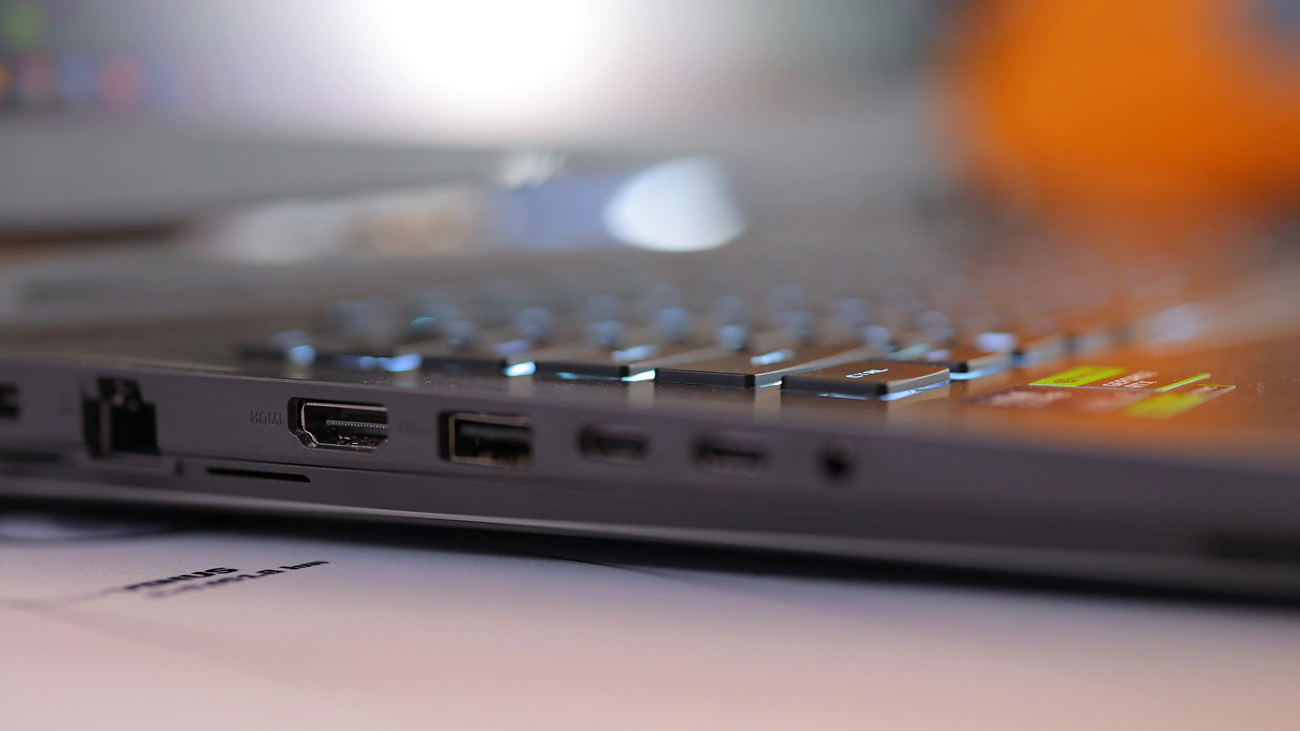
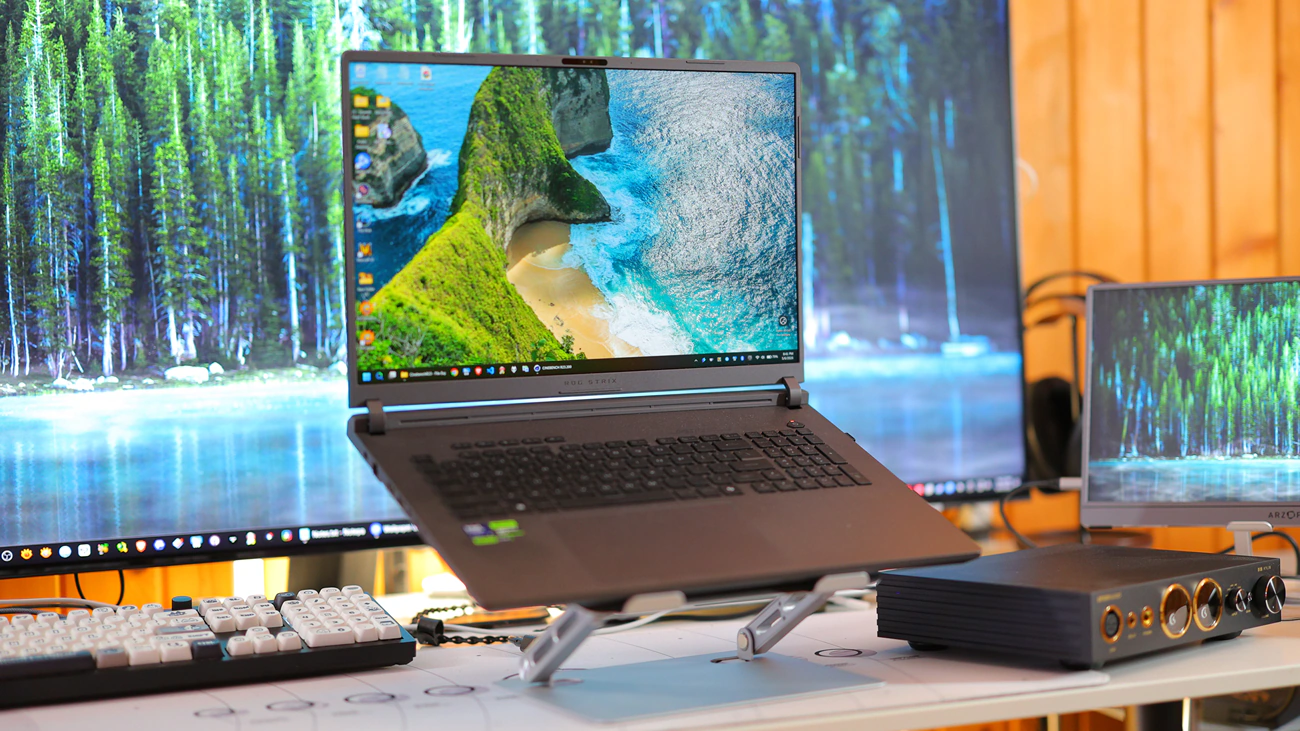
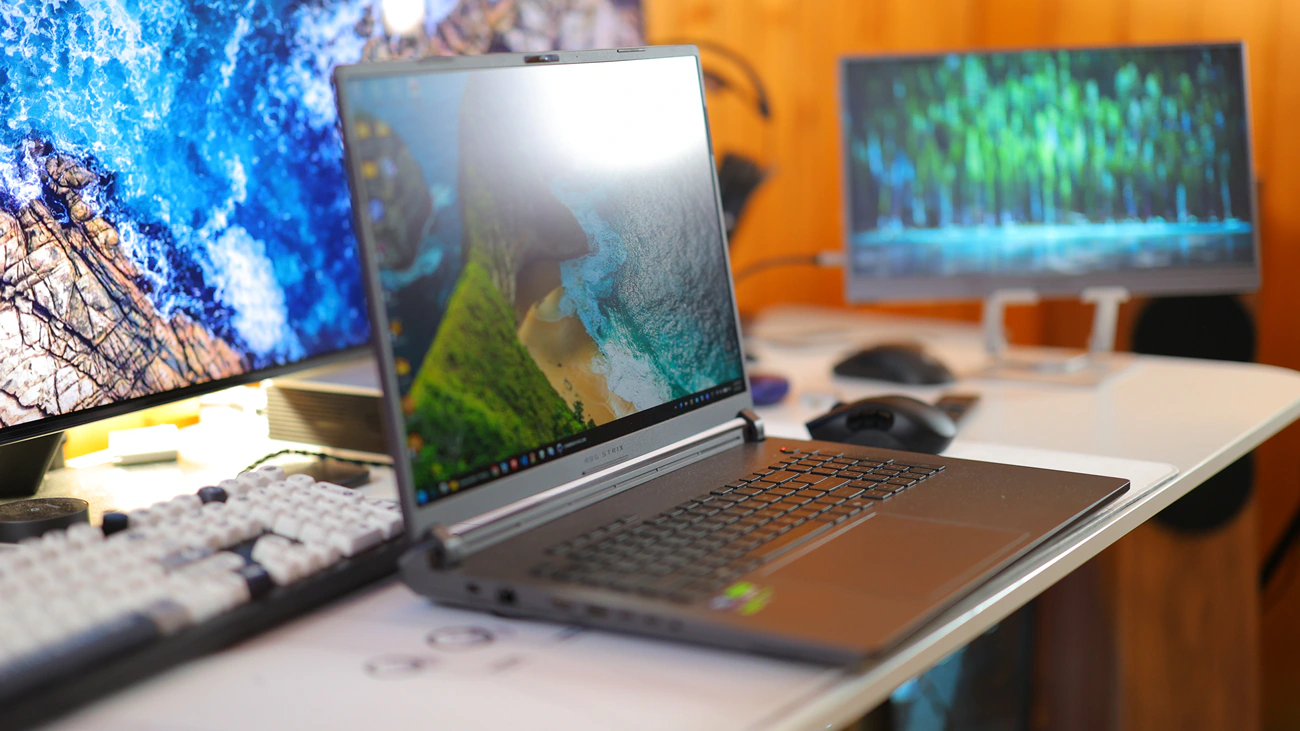
Physical Design – Like most laptops, G18 is made of two parts, an outer upper case that is made of metal, and a lower part that has all the electronics, fans, keyboard and touchpad. It has more than enough ports for me, but not that many, at exactly 2 Type-C USB ports, and it has 2 type A ports. It can charge using the Type-C ports, and doing this allows it to intake up to 100W of power, plus you have access to all the CPU and GPU power if you have the Type-C port charging the laptop. Hinge tension is decent, it is not a bit tight and it wobbles a bit, but it feels more reliable than any other laptop I tried. The whole experience is far more complete and practical than using a mini PC + keyboard + mouse + portable monitor because with a laptop you can simply pull it out of a bag and use it, although the total power is not quite as high. As with most products, laptops have a bit of unit-to-unit variation and the G18 feels different between the two units I owned, with the 2nd unit having a better and tighter build, while the first unit was a bit loose. The overall build quality is WORLDS better than the Acer Predator I owned, which had extreme display bleed for the image, had the keyboard raised by visible a couple of mm in a few spots, while G18 is really solid. So far, for me, it is the best build laptop I owned, but I am not really fully satisfied. Despite the display having the cover made of metal, you can physically push on it quite easily, which means that the display will have keyboard marks on it unless you use a very good transport solution, which diminishes how portable the laptop is. It really is a so and so situation, ideally it is great, but there are some aspects that still aren’t up to a universal usage.

Keyboard and Trackpad – I think that for me, having a good keyboard has been the most important aspect for buying a laptop. I cannot really reliably take a full-szed keyboard with me in my car or while on-the-go, so I need the keyboard to be good enough to type around 10.000 words per day for reviews, and also to type programming for Eternal Hour, the game of my Company, Seventh Heart Studios. This means that I found the keyboard to be good enough for this although I still find KeyChron Q6 MAX to be a better keyboard long-term. The Trackpad was a pleasant surprise, but it is a twofold thing for me. First, it is very precise, big and offers me a really comfortable browsing experience, to the point where I really don’t feel the need to bring a mouse with me, but it is also so large and just right beneath the keyboard that I often mistouch it, and had to develop a way of holding my hands, kinda like hovering above the keypad which makes it really uncomfortable to use the laptop for longer periods. So far I have not found a way to maybe lower the keypad sensitivity, or do anything to make it more practical, but when I have to browse the laptop, it is excellent, has the right speed, sensitivity and texture for my hands to glide nicely on it. Overall, the keypad is very good, very large, but positioned in such a way that it takes a long time to get used to its shape and to using it.
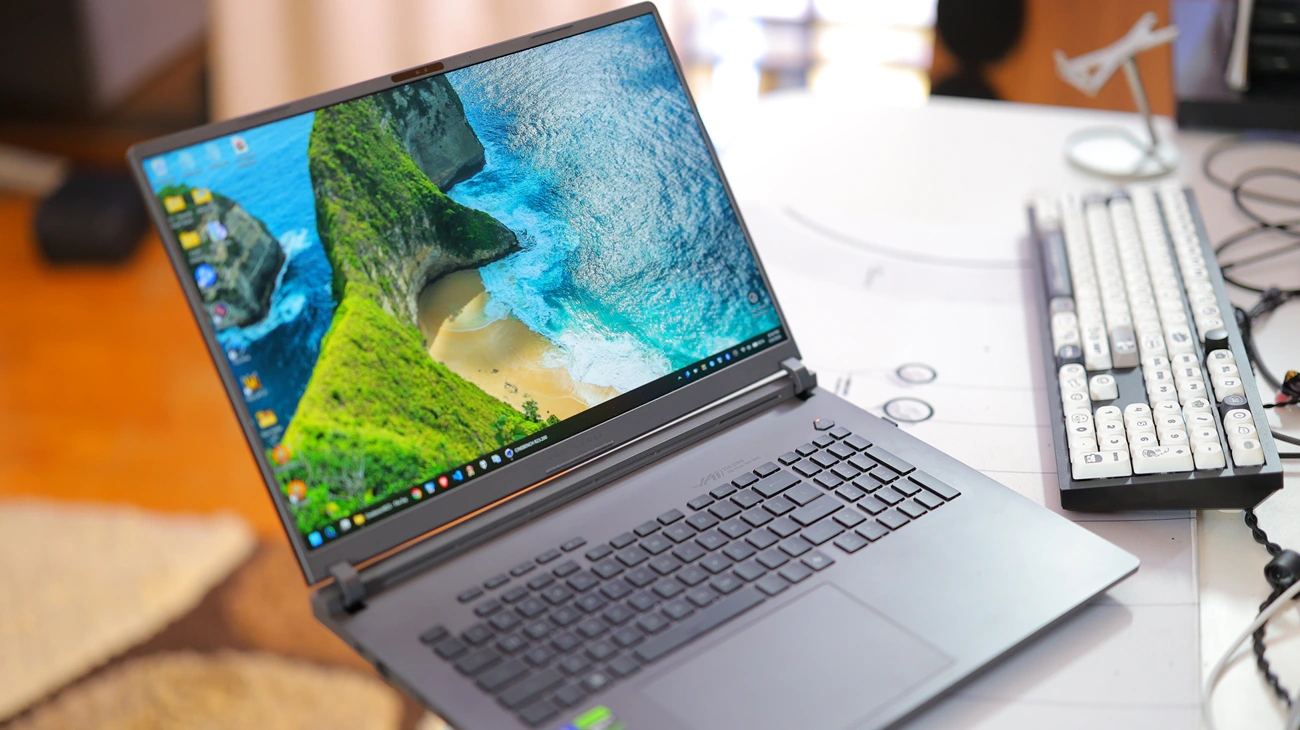
Display Quality – That 18″ Display is one of the main reasons I went for the G18, as I really need that larger display area to spread a larger document while writing reviews or programming, and the fact it has a 240 Hz refresh rate, combined with the fact that it has a 100% sRGB, 100% Adobe RGB and DCI-P3 makes it so much better. Basically, it feels super snappy, the image moves really fast making it feel more responsive, and on the rather small 18″ surface area, the QHD resolution makes it impossible to see individual pixels, making it feel incredibly sharp. It is a dream display, but I owned 2 units so far and after a while the first unit developed IPS Bleed, as the display gets pushed onto the case if you’re transporting it in a backpack or squeezing it too hard while transporting it, which makes it lose contrast on dark images, and it is an eyesore. Basically, for how beautiful it is, you’re still both playing the display lottery and also might damage it with usage if you are not incredibly careful. The whole laptop has this feeling that you’re transporting something more fragile and better than you should carry with you on a daily basis.
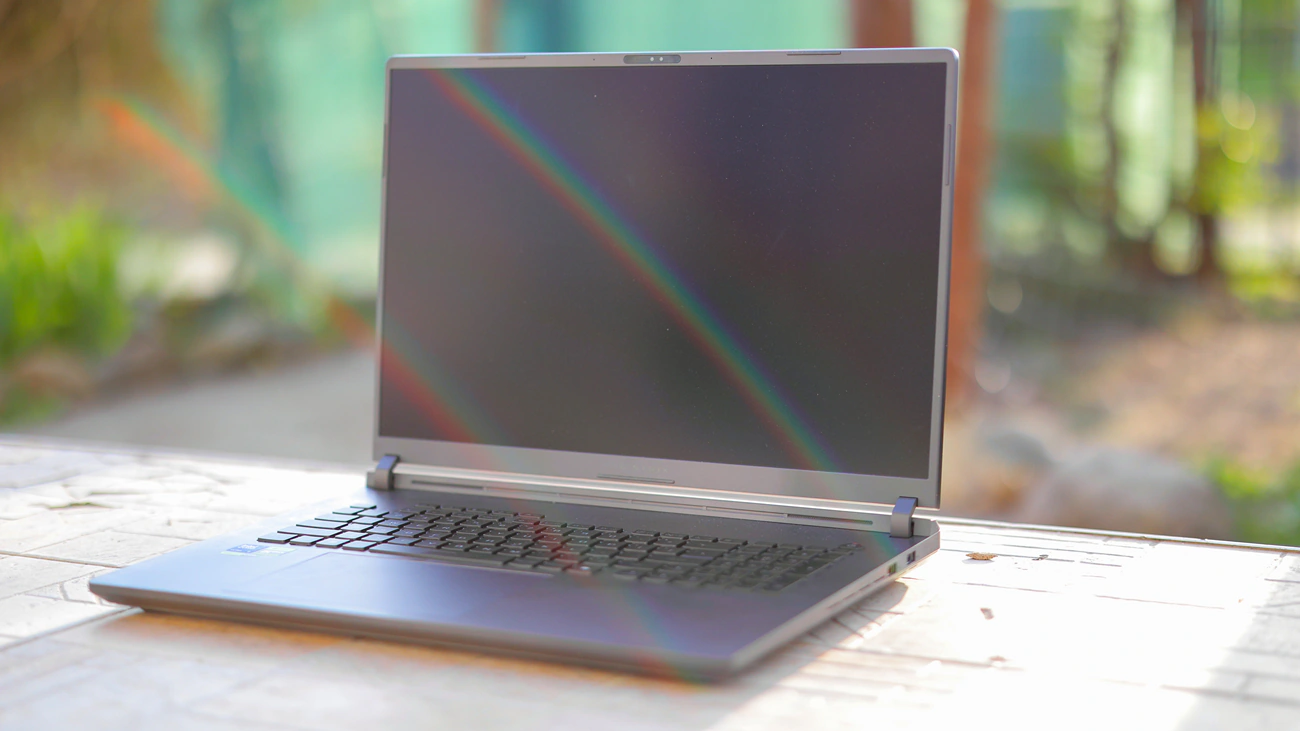
Overall Experience – Using the G18 is a fair experience. On one hand, it looks good and moves fast, on the other hand, it is expensive and a bit fragile in general, with the screen wobble being a bit much for using it in a car or airplane. I have no idea how long it would survive, the hinges are a bit rigid, which means that when you open and close it, you put some stress onto them, and I open and close it 4-6 times per day. Battery life is so far so good, it is relatively easy to replace the battery and keyboard quality is as good as it goes for laptops, good enough for me to type professionally. I would generally avoid getting it for desktop, if you can use a desktop PC computer. On the other hand, my experience with it is FAR better due to the display quality, it is responsive, and generally does everything I need the laptop to do. The fact that you can unleash the full GPU for gaming and full CPU power for processing on battery, or by having the type-c charger in, as most laptops do not offer either full CPU or GPU on battery or when using a type-c charger, if they have a separate power brick. The power brick also powers it to full potential, you never need more power and it always charges. Charging speed is quite slow, you get 15% to 25% per hour in general, so it feels slow, but it has a long battery life. Overall, I like it the most out of all the laptops I used.
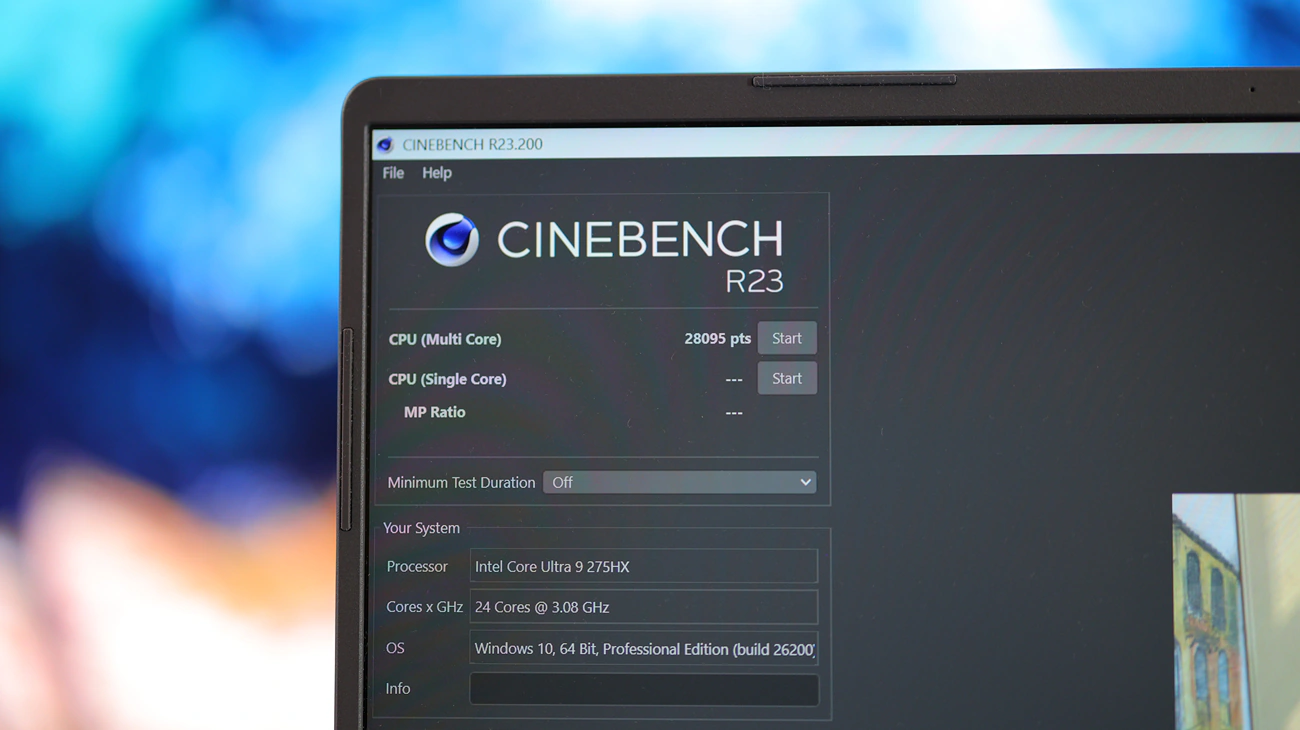
Raw Processing Power – At its highest point, running turbo with the power brick plugged in, you have about as much processing power on the CPU with the 275Hx and the implementation of the G18 as you have with a full-sized AMD 7950X or 9950X CPU, so you will never feel like the laptop is slow or lacking raw power. For the GPU, I eventually replaced the one I had with one that has a 5070Ti GPU for laptops, and while this is nowhere near as fast as my full-sized 4090 desktop GPU, it is more than enough for portable gaming, using this laptop for work and it stays cool enough to be practical. In general, there is no laptop that offers a reasonably more raw processing power, unless you get G18 with an AMD latest gen CPU, namely 9955HX, and get a 5080 GPU, but the cost almost doubles while the improvement in performance are mild, with the CPU to CPU improvement barely being noticeable, and AMD 9955HX having a far worse integrated GPU, and with 5080 laptop vs 5070ti laptop not being enough of a jump in power for a 50% price increase. Also important is to note that although the price jumps so much for those, the whole laptop does not improve in build quality, or overall display quality, or anything. Battery life is almost half with 9955HX or 9955HX3D, so unless AMD makes a version that makes sense in a laptop, I would avoid those. As the full config with a faster CPU and GPU starts to cost more than a desktop Computer with similar components would cost, so in my personal view, if you need a 9950 and 4090 or 5080, it is best to make a desktop PC instead. Render times on G18 are very similar to what I get on my desktop workstation, although the main reason I would get a desktop would be to have the ports and space for more HDDs, SSDs, storage and just general USB ports, but you should keep in mind that you can achieve most of those things by getting G18 and using a NAS or DAS unit with HDDs or SSDs. I am currently replacing Premiere with Da Vinci and Resolve’s Da Vinci can run just fine with files available on a NAS. The fact that wired G18 has a 2.5 Gigabit ethernet port also helps a lot.
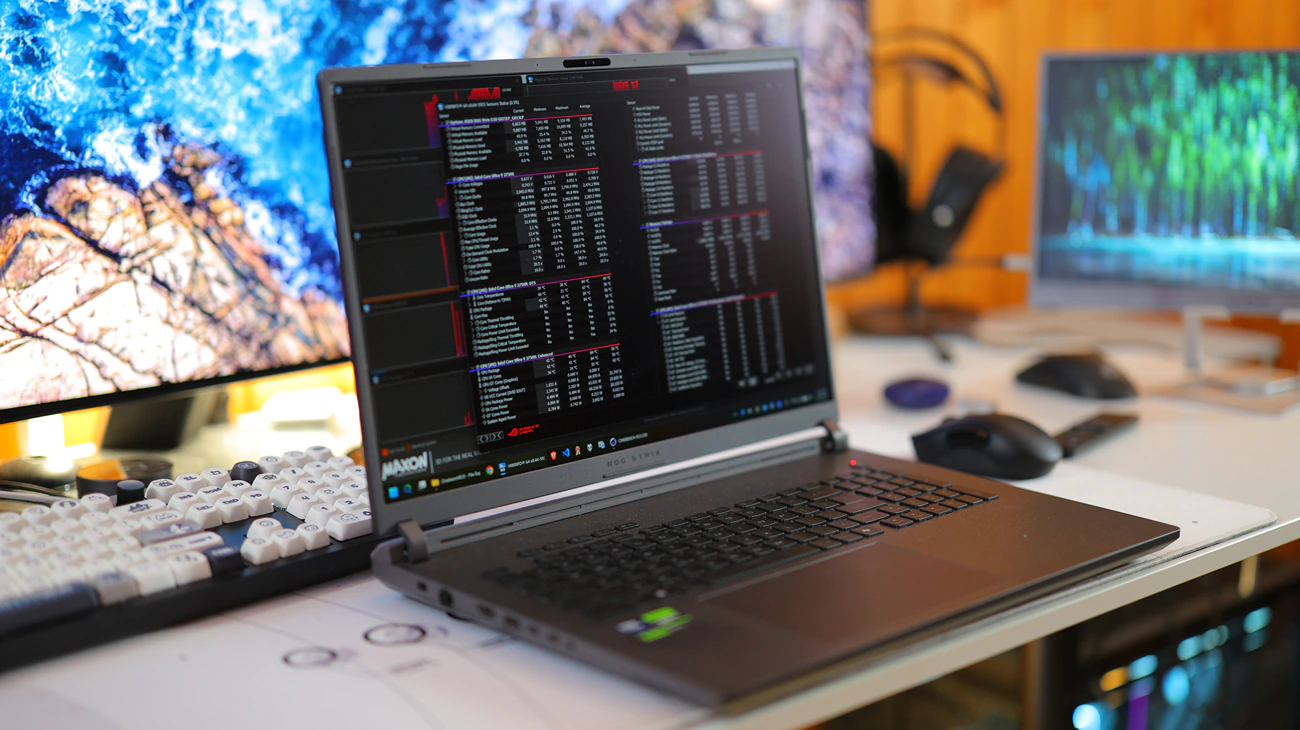
Battery Performance and Life – Initially I seemed impressed by the battery life, then I lived through thinking that it is not quite enough, only to afterwards discover that it was indeed quite enough. The point of using G815 is to always and I mean to always have it set on balanced. Eco or Quiet modes are really slow in performance and will limit the performance significantly, while Turbo is basically noisy all the way but will showcase the full performance of the CPU. It feels like the performance of the GPU is far less limited or connected to those modes compared to the CPU performance which you feel almost instantly. When used on balanced, you can squeeze around 3 hours of actual usage, including a keyboard with the lights on, max or half max brightness on the display, running multiple chrome tabs and doing programming, compiling things. For gaming, you get around half an hour to an hour of runtime, which is not bad at all considering that the PC can burn through more than 100W of power that way. You can get max, and I mean max performance while it is powered by a type-c input, be it external battery or type-c charger as long as it has 100W of power it can deliver, and basically, I do not bring the large power brick at any moment as I get more than enough power with just the type-c power input. I like this far more than I did on the Acer laptop I had which still was very much limited over the type-c input.
Software Support and Compatibility – Here are some key elements I noticed when installing windows and installing my usual software. First off, because you have a 240 Hz Display, and I insist that you need to purchase this variant, you will absolutely always feel like this laptop is fast. It never hangs and the Intel 275HX CPU is blazing fast even on battery, it will compile my game, Eternal Hour in around 1 second, it will run Da Vinci and Premiere, basically it has more than enough power. But I digress, the important thing here is that to get the CPU running at full power, as well as GPU, you need all the drivers from the Asus website, including Intel Power Management driver. I experienced the issue where the CPU was always limited to around 80W of power and down even to 40W, which made it really slow and disappointing but after installing those I was able to unleash the full potential of the CPU. I am saying this on the latest 335 Bios after reading horror stories that after the Asus G18 G815 333 BIOS you are power limited, but that is not true, you just need the right drivers from the Asus Website. I experienced zero glitches in general
Stability – For all my work, Asus ROG G18 is stable. The only part that is a bit unstable is when you reach low battery levels, where the laptop starts to lag and makes you wait, or when you engage Eco or Silent modes, which will severely limit power and can make it feel laggy and stuck often. Other than this, you can reach the max ceiling of power on Turbo as it allows the CPU to guzzle power and it will easily reach 99C. It seems that the latest BIOS does limit the power here a bit, but it does not limit the power at a low level, it just thermally limits the CPU to 99C instead of 102C. If you reach that point, the system slowly throttles it, but not like a comb throttle and instead it just limits the max temp when it reaches that temp at max by limiting power draw.
Power Consumption, Loudness and Thermals – Here is the only spot where I feel like G18 is not the most efficient laptop ever. Just writing this review at minimum brightness, with keyboard light on, and with just chrome running has a drain rate of -35W to -37W which is insane. Most power efficient laptops will draw around 18W to 10W in the same situation, so G18 is not a power efficient laptop. It will be purely quiet on battery, if you don’t do anything too complex, and with just Chrome open, the CPU stays at 43C, and the whole laptop has the fans turned off. This being said, when it is connected to power, it will almost always make noise, and the fan will spin a bit always. It does turn off only rarely but not enough to make it quiet. Thermals are actually pretty good, as G18 stays really cool, around 45C at max with low intensity work, the Nvidia GPU stays off unless needed so it is not producing heat either, but when it is doing something, it does draw a lot of power. I mean this to the point where it can guzzle 100W on CPU only, or even more. You will not have this kind of power without noise and G18 is quite noisy at max volume, but not more than Acer predator laptops even if the Predators use a lower power CPU like Ryzen AI 9.
Gaming And Productivity – I am writing this very review using the Asus G18 G815 laptop while in the passenger seat of my car, and this laptop has enough display to allow me to display two browsers side by side, for example to make sure that I have the correct technical data for a review, or to watch something while working. In general, this would not be possible with a smaller display, and a larger portable laptop display is also extra nice for watching videos full-screen or playing games, although coming from a 65″ monitor, it feels a bit small. This being said, because the refresh rate is very high, at 240 Hz and the display is bright and colorful, it feels nice playing games on it, especially games made for a smaller display, so anything besides strategy. You also have two Type-C ports on the left side, so you can easily connect a fast refresh rate monitor to the laptop for a secondary high quality display, and this all works really well for watching movies, productivity or gaming with something on the side. I find G18 to be just the right size for a laptop for extended productivity, and gaming also, and it currently has all the right ports and speed, GPU and cooling to actually make those enjoyable and practical. I wrote a couple of reviews using it and also managed to program my own game, Eternal Hour using this laptop as it offers me enough display to have Visual Studio Code running on half of the monitor and have the game compile and run on the other half. Overall, it is a brilliant choice for anyone who wants to do both productivity and gaming on-the-go.
Comparisons
Asus G18 G815LP vs Acer Nitro 18 AI AN18-61-R14D (2327 USD vs 2400 USD) – A lot of this review has been me exploring my pet peeves with those two laptops and the laptop market in general. Beyond the technical data of what CPU resides in each, they have the same size, same battery and should do a similar job. Actually buying the Acer Nitro 18 AI is a much worse experience from the more fragile chassis to the much worse keyboard, but it also has some interesting advantages. Those include a much more sleek chassis, as Asus just has angular cuts and that’s about it. Acer has a FAR better performance, longer battery life, easier to use design for beginners and without any kind of tuning. The display quality is so much worse for Acer Nitro 18 Ai that it is crazy, it really has too much light bleed in the IPS panel to be a good option for most users. The overall heat production is so much more on the Asus that it feels insane, but the raw performance even at the most limited scenario is much higher than with the Nitro 18 Ai. To put it simply, you can get more performance from the Asus G18 on battery than you would from Acer Nitro 18 Ai when it is plugged in. For battery life, I actually get the same with both , especially if I tune G18 for efficiency, which takes 3 clicks to do. The passive drain on Nitro 18 at the same max brightness, max everything, is around 24W while it is 22W on the Asus G18. This being said, engaging the keyboard and ambient light on G18 adds 10W to the passive drawing, up to 32 W, while with the Asus it brings it to 32 Watts as well. Playing on each, using each is better with the Asus, but Asus has some coil whine and electronic noise inside while Acer Nitro 18 Ai is fully silent. I would not buy Acer Nitro 18 Ai because it has AI in the name and that’s enough reason to avoid it. But on that idea, I would avoid G18 too because it has a copilot key on the keyboard. Acer Nitro 18 AI gets 18.000 on Cinebench R23 multi core, while plugged in, while in the most power efficient state (Eco Mode) Asus gets that on battery (20250 actually).

Asus G18 G815LP vs Khadas Mind 1 Mini PC (2327 USD vs 2400 USD) – Mind 1 Mini PC is still an excellent option for customizability, but now with a more proper laptop, you have more of a reason to go for the laptop. I am saying this because while I still think that Mind 1 is a far better option if you want free upgrade options along the way, it has the RAM, CPU and GPU capped and you get no GPU while traveling, while with 5070 and 5070ti, you have access to some darn good GPUs in those laptops. Even so, please keep in mind that those GPUs inside the Asus and Acer are usually not available on battery, so you’d still need a power outlet, and there is an external GPU available for Mind 1. The sound produced by each is comparable, although ease of usage to type an email is different, and it is much easier to transport a laptop than a mini PC setup as setting up the mini PC takes you around 5 minutes, while a laptop can take as little as 30 seconds.
Value – Conclusion
I have no idea how, but Asus G18 815 is more affordable, less expensive than Acer’s AI 18 laptop, and yet Asus offers FAR better raw performance, better CPU, better GPU, granted worse RAM for my setup, but still everything considered, the value is top notch. In fact, you cannot build a computer with the same components and come out cheaper than you do with the Asus laptop, although for using it to its max, you have to learn so much about GHelper, tuning it and advanced stuff that I think the value is great, but not perfect. You really have to understand it to use it which lowers the value considerably as tuning it is a complicated process even for me and I use a PC many hours each day.
While it was super interesting reviewing the Asus G18 G815LP, I think it is a but complicated to draw a final conclusion. I like many things about it, including the performance, build style, quality, keyboard, and max performance, but I really don’t like that I got a machine with 16 GB of RAM, as it was the only one available, and I don’t like that you can normally grab a 5070ti for the same price, so I might still return it, yet I am fairly sure I would replace it with a laptop from asus as well. You should come back and ask me in around 2 months what I ended up doing, but everything I wrote in this review stands true and in general, if you understand a bit about this laptop and are willing to put in the effort of tuning it, it is a fully recommended purchase and the best I tested so far, in around 5 months of frequent testing.
PROs
- Exceptional build quality with a premium keyboard, hinges and case
- You’re able to remove the bottom cover, and replace ram / SSDs really fast
- Very bright, detailed and crisp monitor with top performance and refresh rate
- Powerful 275HX CPU from Intel, although it does heat up a lot
- Powerful GPU with max TDP and power rating
- Great overall user experience once you play with it and fine tune it
- Long battery life if properly tuned, about as much if not a bit longer than Acer AI 18
- Cpu consumes just 5W in idle, or browsing the internet
- GPU can be routed to the iGPU which is plenty strong
- Performance on battery is very good, much better than the competition, with constant 60fps in most games
- Very silent on battery or if properly tuned
- Fast Internet and Wifi, although slightly worse than Acer’s AI 18 laptop
- Beefy 280W Power Adapter that can charge the laptop really fast
- Absolutely beautiful keyboard light and light strop beneath the laptop
- 100% DCI-P3 color coverage for the display
- Stable and smooth, no dropouts for sound, great for programming and any other activity
- Actually usable with the Type-C power input, it has about the same performance if using the Type-C power input as it does with its own power brick, although it can pull far less power from the type-C input

Cons
- Takes an unimaginable long time to understand and properly tune
- Asus software is absolutely useless, heavy and can be considered spyware at this point
- Still just a laptop, still has certain weaknesses
- Can heat up far too much, overheat and throttle right out of the shop, reaching 102 C on CPU in a simple cinebech test on the default BIOS
- Can be extremely noisy and hot if not configured well, also can be extremely power hungry if not tuned properly
- Still has some IPS bleed in the corners despite the quality of the display and hard casing
- All ports on the sides is great, but they are all very much towards the front which is very uncomfortable
- Screen wobbles a bit while I type on it
- Palm rejection for the trackpad is very poor, I do make mistakes
- Extremely pricey and tons of different configurations available with very little explanation on what each does and how
Product Link
Amazon – https://amzn.to/4tPYCB9
--- Please remember to stay safe, and always have fun while listening to music!---
- If you have a dime to spare, please donate, and help us! It would make the day brighter for me and my wife-
Full Playlist used for this review
We listened to more songs than those named in this playlist, but those are excellent for identifying a sonic signature. I recommend trying most of the songs from this playlist, especially if you’re searching for new music! The playlists are different for Spotify, Tidal and Youtube, and based on the songs I enjoy and are available on each!
https://www.youtube.com/playlist?list=PL_cjBXGmwSHSdGcwuc_bKbBDGHL4QvYBu
https://open.spotify.com/playlist/5J3oloz8Riy9LxEGenOjQ0?si=979ba4f082414be7
https://tidal.com/browse/playlist/330fd544-8e5b-4839-bd35-676b2edbb3d5
--- Contact Us ---