Khadas Mind Dock Review – All Bounds Undone
Khadas Mind Dock is a $179 USD Docking Station and add-on for Khadas Mind 1 and Khadas Mind 2, offering an extended interface, speakers, multiple display outputs, an SD Card reader, and improving the usability of the Mind mini computers. Today we will review the Khadas Mind Dock and explore what it does in every way and also whether it is a necessary purchase together with a mind mini PC.
Introduction
Khadas is by now my favorite computer manufacturer, having designed the Mind 1 and Mind 1S mini PC computers, a far better solution to computers than owning a huge workstation that costs ten times as much but usually does about the same thing, but worse for many tasks. It is interesting that an audio centric company can deliver what the giants of computing couldn’t but I am always happy to review and report where the world is headed.
As an Amazon Influencer, I earn from qualifying purchases, and using the purchase links in my reviews helps me maintain this website and Youtube Channel. Audiophile-Heaven has no Ads and our Youtube Channel has no midroll ads, and our work is supported by Affiliate Links and Donations. Huge thanks to Khadas for providing the sample for this review, in exchange for my honest opinion.
Product Link
Amazon – https://amzn.to/4q2hpIi
Aliexpress – https://s.click.aliexpress.com/e/_c358QPDx
Build Quality – Design
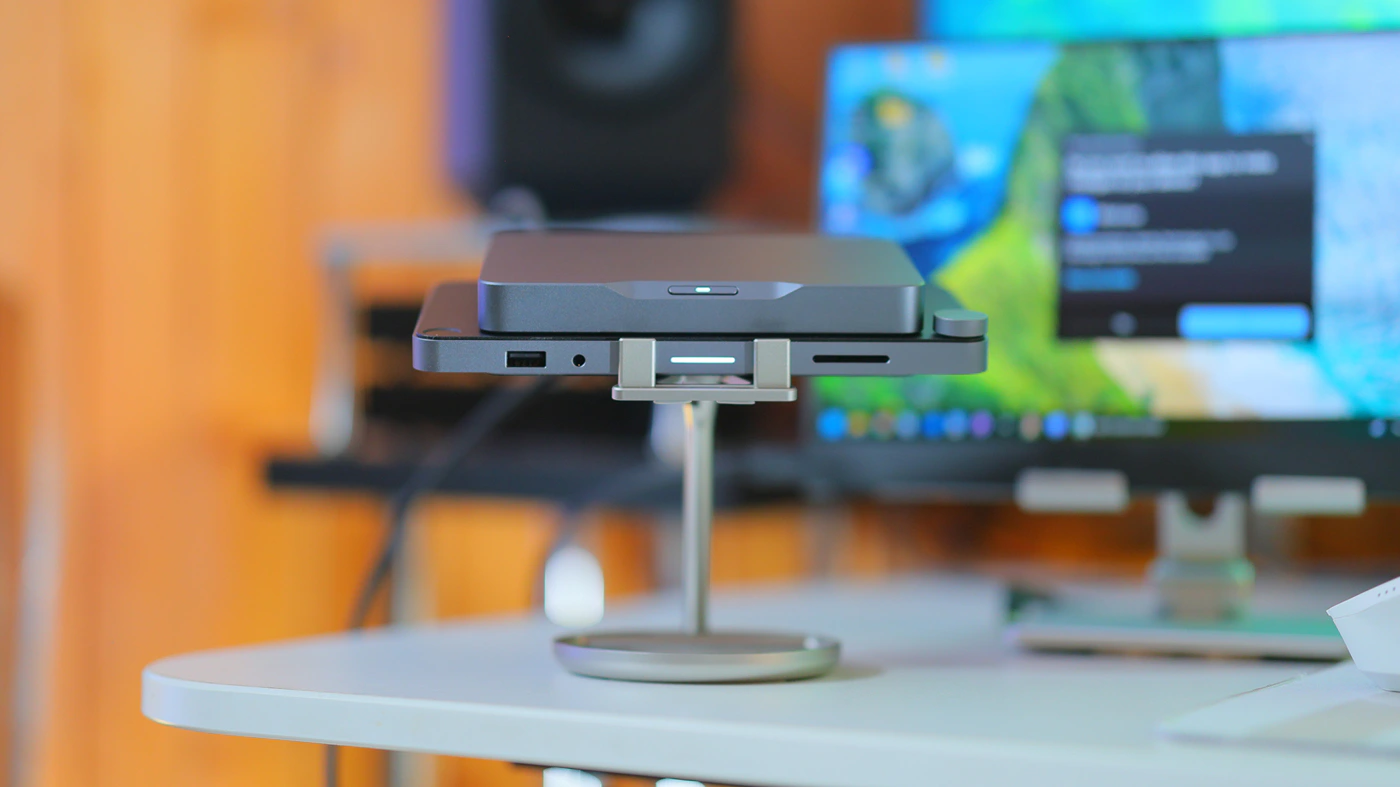
Khadas Mind Dock is a fairly simple and elegant device, just as sturdy, stable and well-made as the Mind mini PC. It has a hot-swappable interface that allows it to connect to the Mind mini PCs, and it has a total of 9 I/O ports, offering ample connectivity for external Devices for the Mind.
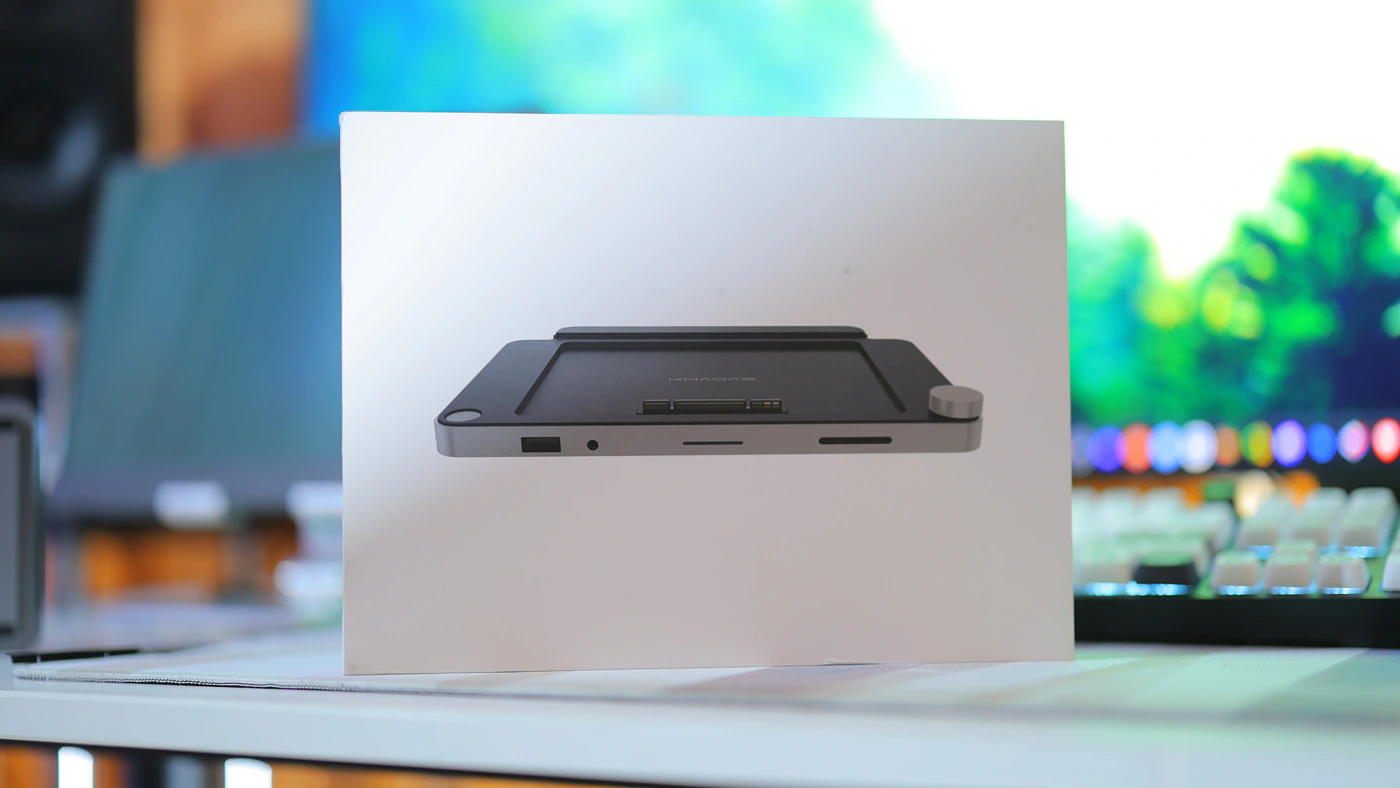
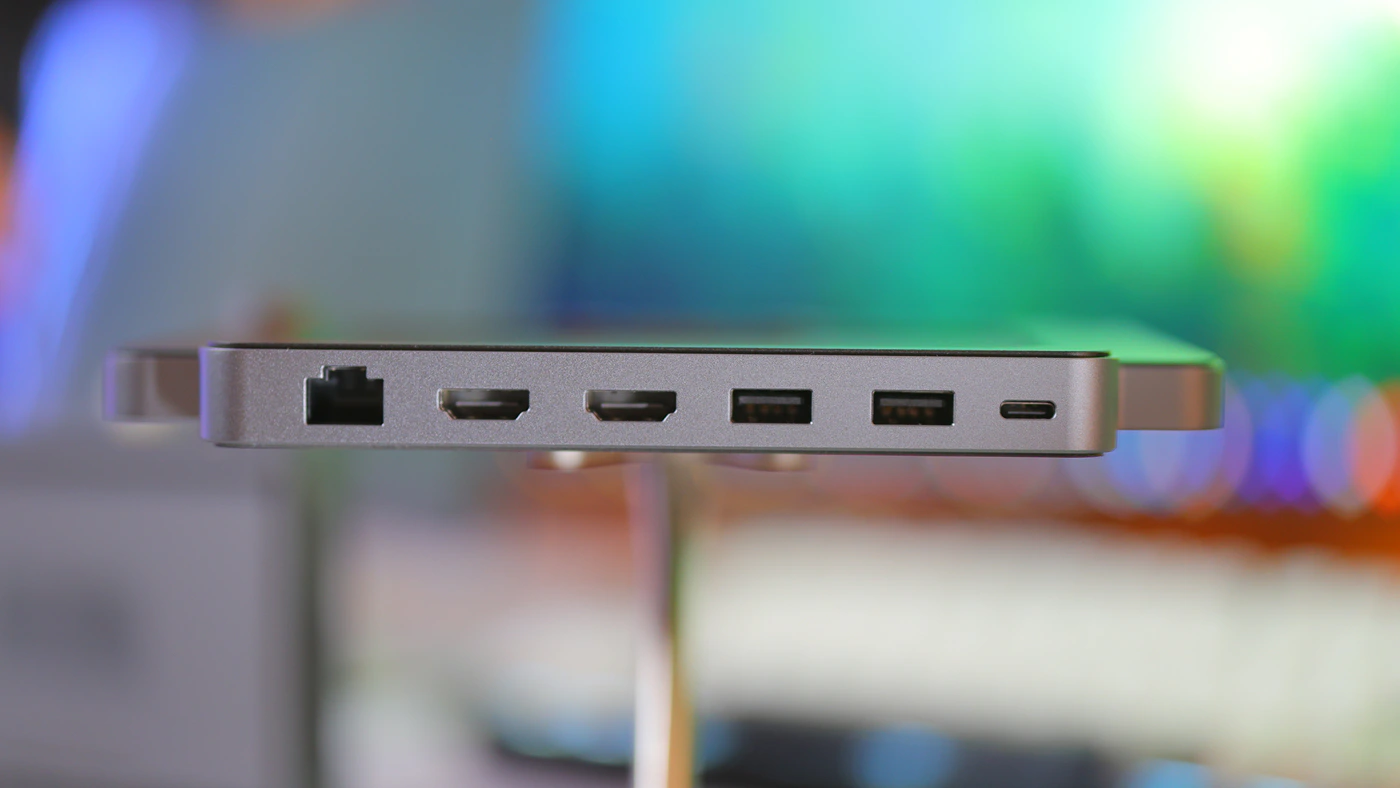
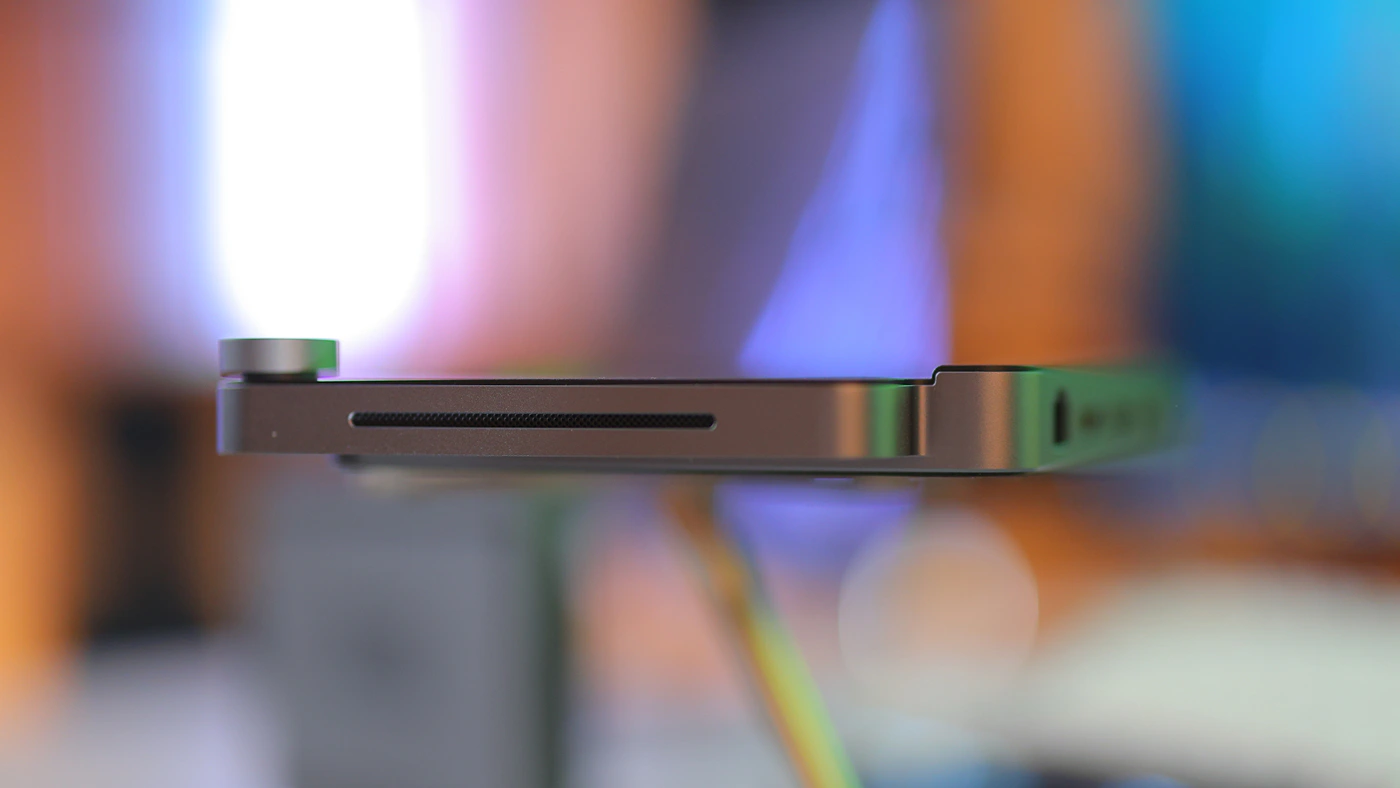
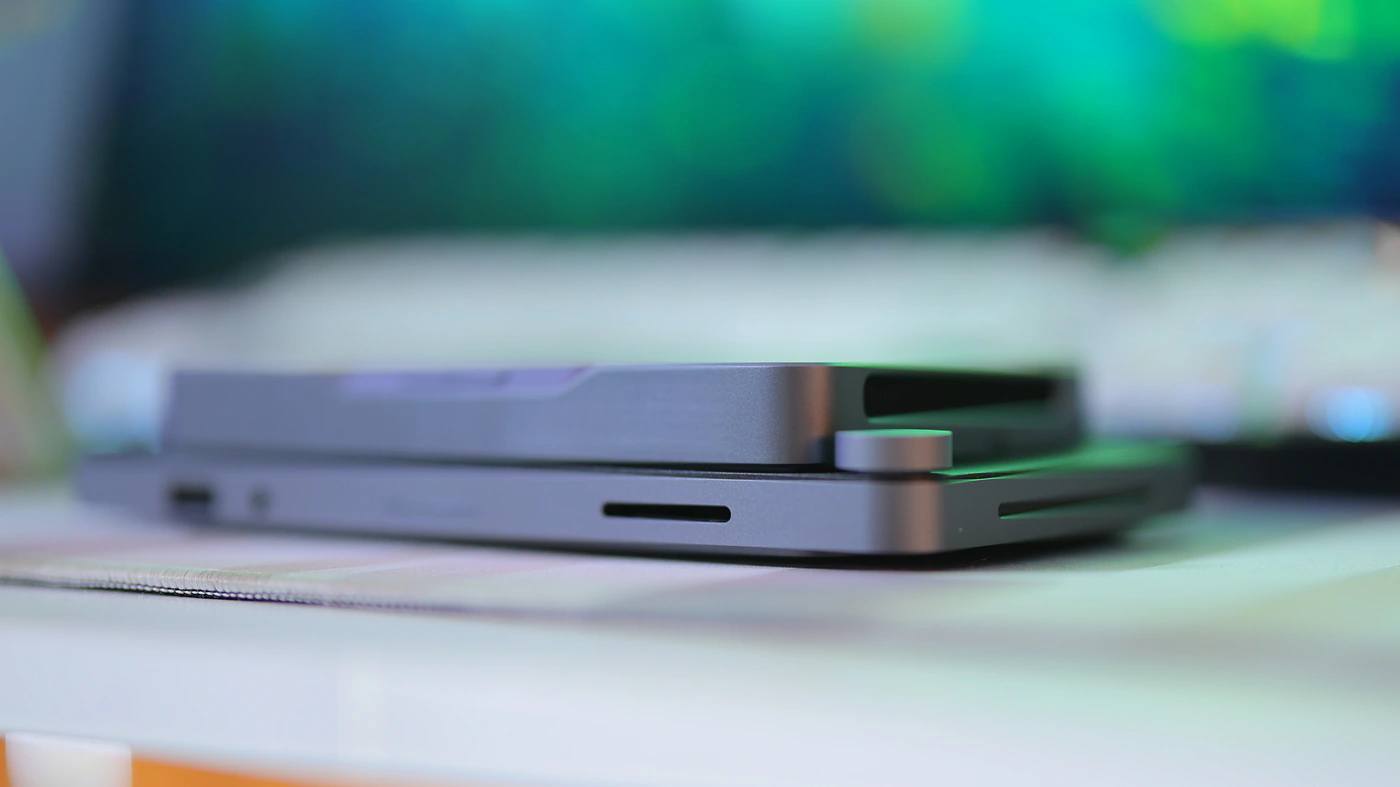
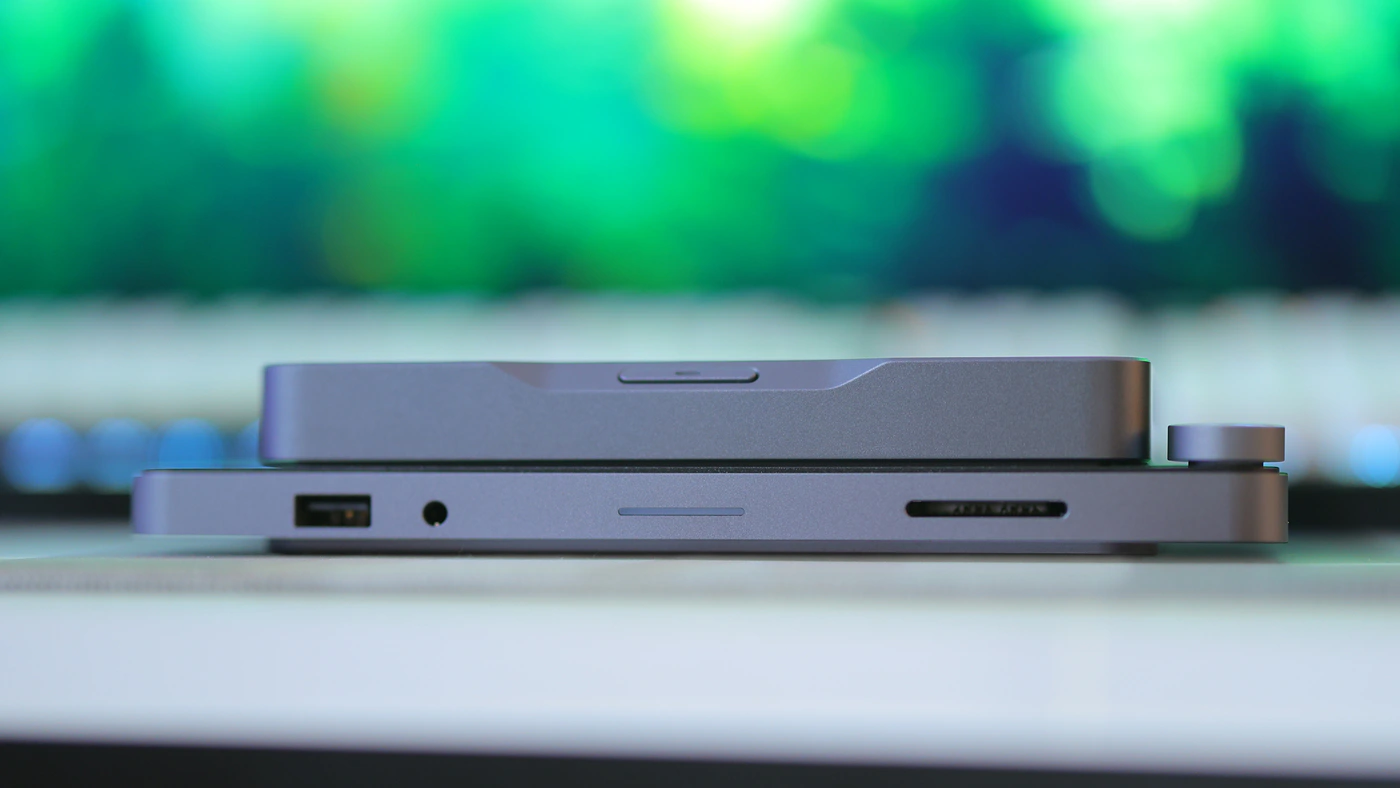
Starting at the image, Mind dock supports simultaneous 4K / 60 Hz displays, and it has a built-in SD card reader that has speeds up to 200MB/s. Working together with the millisecond speed scanner for fingerprint recognition, Mind Dock allows you to secure the data on your mind PC by having yourself scan and log in using a fingerprint instead of a password. For AV usage, Mind Dock has built-in high-fidelity speakers, and has a 3.5mm headphone jack with microphone compatibility.
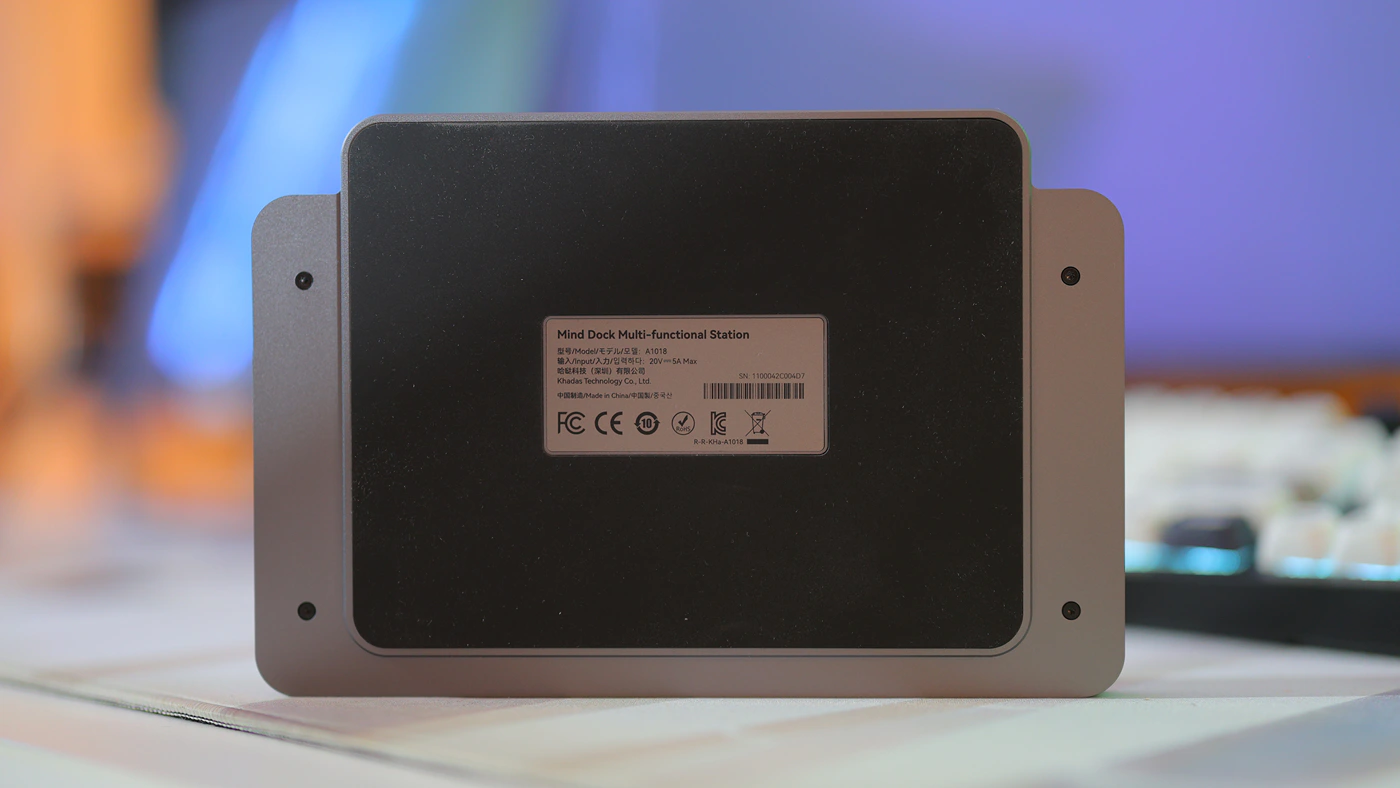
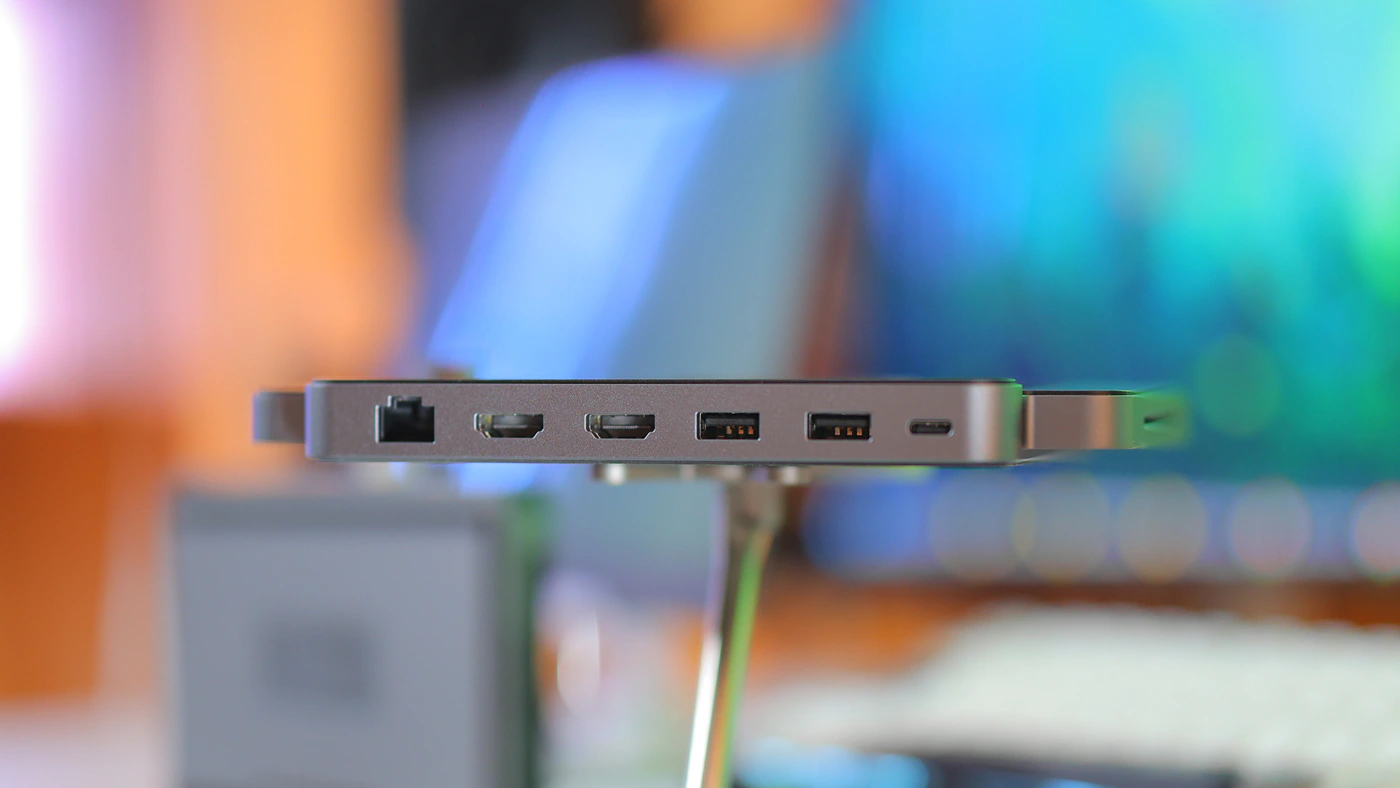
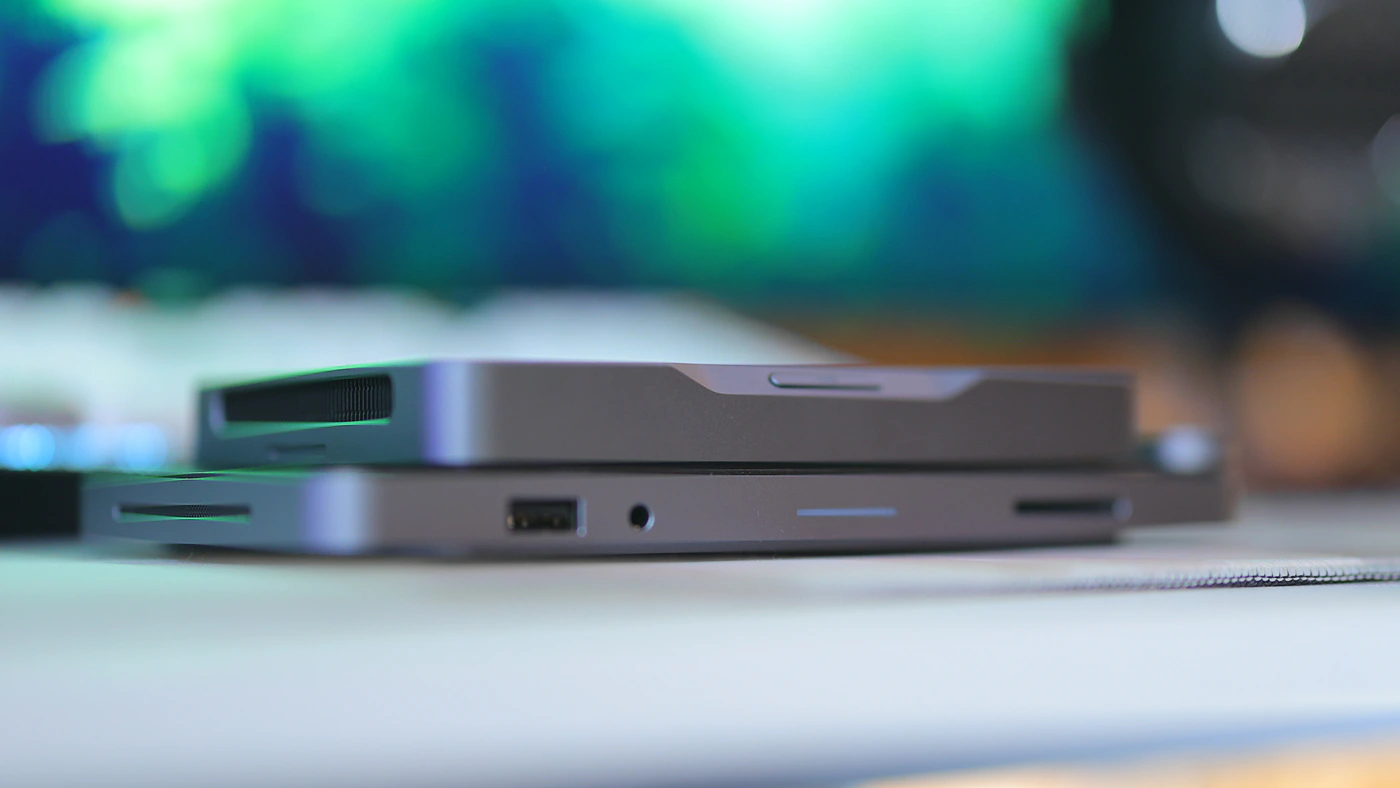
It comes with a physical volume wheel for quick volume adjustments, and it will adjust the current volume as set by windows, and it has one Type A USB port on the front, next to the 3.5mm headphone output and SD card reader. Also at the front there is an LED indicator, and at the black we have the most important bit, an Ethernet 2.5GBPs port, two HDMI 2.0 outputs, rated at 18 GBPS or 4K 60Hz, and two UYSB Type-A 3.2 Gen 1 5 GBPS ports. Mind Dock also has one Type-C power supply input at the back, and Mind Link at the center, which is where you will be placing the Mind Mini PC.
Subjective Usage
If you can grab the Dock, I highly suggest you do it, as it offers a ton of expansion, and the most important thing there is what I believe was missed by many reviewers, and that is the 2.5 GHz ethernet port. Together with a fast switch inside of your house and high-quality CAT7 or CAT8 cables, you can turn Mind into the fastest, most efficient streamer that the world has ever seen. While it still won’t have a high amount of SSDs, you can connect multiple external SSDs and HDDs through the extra Type-A fast ports and this turns the Mind into a true brain for your home streaming needs.
Combined with the fact that Mind 1 is snappy and fast, has a stable SSD performance, high system performance, and fast RAM, and that the two communicate between them via a PCIe 5.0 link, you will literally extend the abilities of the Mind a ton. I actually sometimes just take both with me, as they are magnetic and just stick together, so even when I am outdoors I have access to the full usability of the Mind via the Dock.
While the Wlan or Wireless LAN is very fast already, it feels like giving the Mind Mini Pc a 2.5 GB Ethernet port really opens up the possibilities, as it allows to realistically stream data at 250mbps, enough to even do real time video editing through an online link to your personal server.
Sound, Processing And General Quality
Overall Experience – Adding the Khadas Mind Dock adds a bit of extra mass to the Mind setup, which helps it cool off a bit better, takes away some stress from the main mini PC, but does not really change the performance in any noticeable way. It is good to keep in mind that Mind as a setup does not need any performance improvements and that the raw power is limited by power consumption and voltage limits in such a way that Mind Mini Pc is still the king os PC computing stability. Even the harshest, hardest tasks will not make it throttle and it is designed in such a way that it minimizes latency and performs best for real time tasks instead of trying to squeeze synthetic benchmarks.
Mind dock follows a very similar ideea, it adds useful ports, but it doesn’t try to outdo what Mind is set out to do in the first place. Adding more USB ports is excellent, and it frees up the Type-C Port on the Mind, although I did notice that the Type-C port on the Dock will refuse to work with certain power bricks and has a strong preference to work well with the Khadas Power Brick and Cable, but will sometimes not allow the Mind to boot with others, while the Mini PC can be fed via anything you have around the house. The mini speakers found inside sound quite sharp, very detailed, and natural. It is a perfect setup for watching movies, enjoying some Youtube videos, especially voices, and maximum loudness can go up to around 95-100dB in a small room, with no audible distortion. This being said, it is a natural sounding speaker in the mids, but roll-off happens around 150 Hz or even higher, so there is no bass to be heard, and dynamic range is rather compressed by the small size and design to make all things audible. In a pinch, it is a perfect setup that sounds FAR better than the speakers in my S23 Ultra smartphone, Azorpa monitor or all mini sized solutions.
Software, Storage, Inputs, Outputs, Stability – Naturally, you only really max out a device like the Mind and need the Dock if you have some actually interesting homelab or server tasks to accomplish. To expand, I have connected the Mind Dock to the Mind, and have populated every single USB port, including the Type C ports on the Mind mini PC, but not the HDMI ports on either, as I prefer using the Type-C output for video. The ports on the Dock are limited to HDMI 2.0 as a standard and I typically use a 144 Hz display, but happily I am usually not using a 4K 144 Hz display so I usually don’t max out the speed of the HDMI ports on the Dock. The only time I managed to max out on that HDMI speed is when connecting my large 4K Samsung TV, as it requires HDMI 2.1 to fully saturate the 4K 144 Hz speeds. All USB ports on the Dock can work at max speed, and so can the SD reader. The fingerprint sensor is brilliant and fast, but I personally prefer to not have to reach for it. Still, it could render the Mind a safer choice outdoors, as you could encrypt it entirely, and have your fingerprint be the only thing that decrypts it, basically making it useless if someone ever stole it.
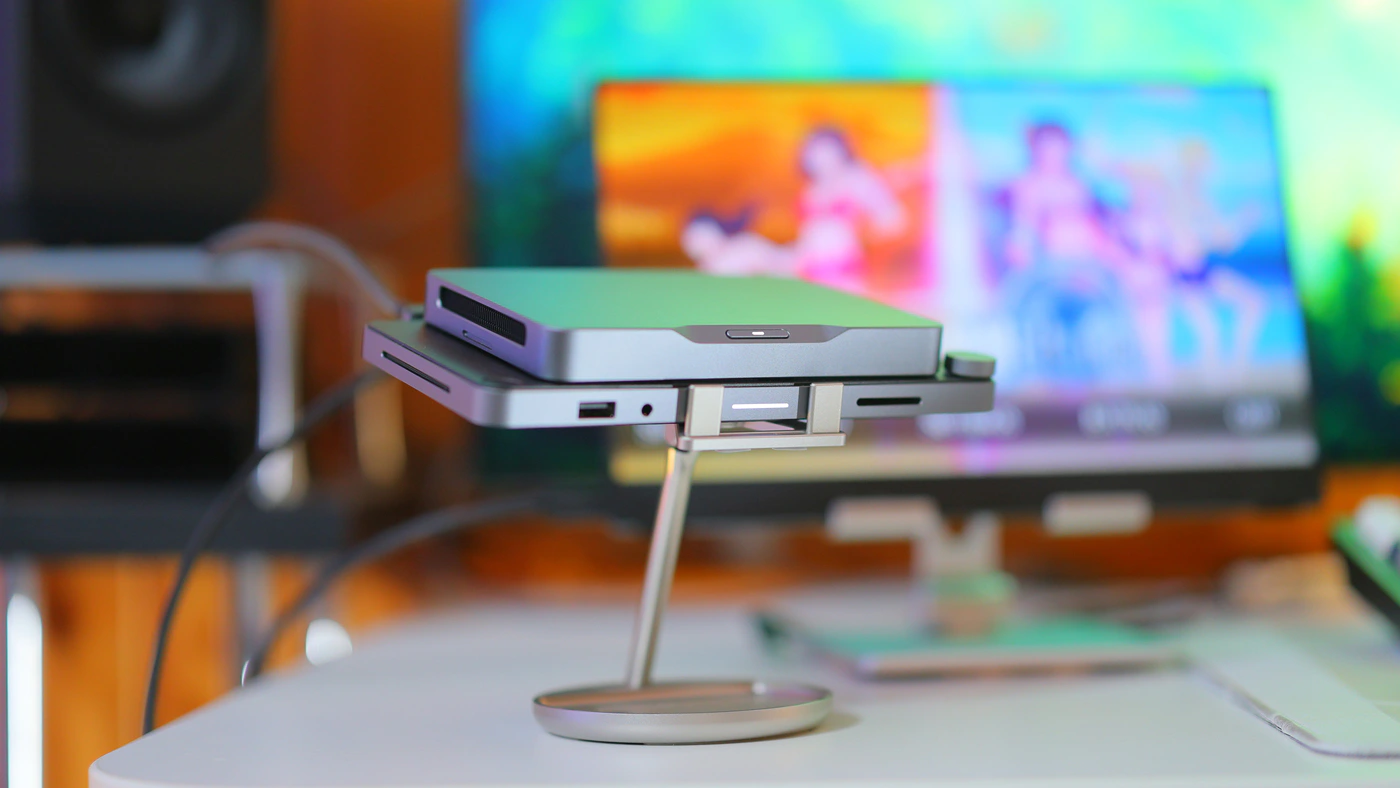
With multiple external HDDS, SSDs, Keyboard, Mouse and other peripherals, I can confirm that everything works really well, and Mind is stable even if you use it to the max. You can also connect headphones and IEMS with a 3.5mm jack to the Dock, or use its speakers, but the speakers are minimalist. This being said, they have proven to be excellent for me and my wife. When we wanted to have a quiet night in the kitchen, I cooked some nice teriyaki chicken and we watched some comedy shows on an Azorpa Z1FC Display, using the Speakers of the Mind Dock. Those speakers sound better than the speakers on the portable monitor, and the whole thing was brilliant as I could assemble the unit in less than a minute and get it running.
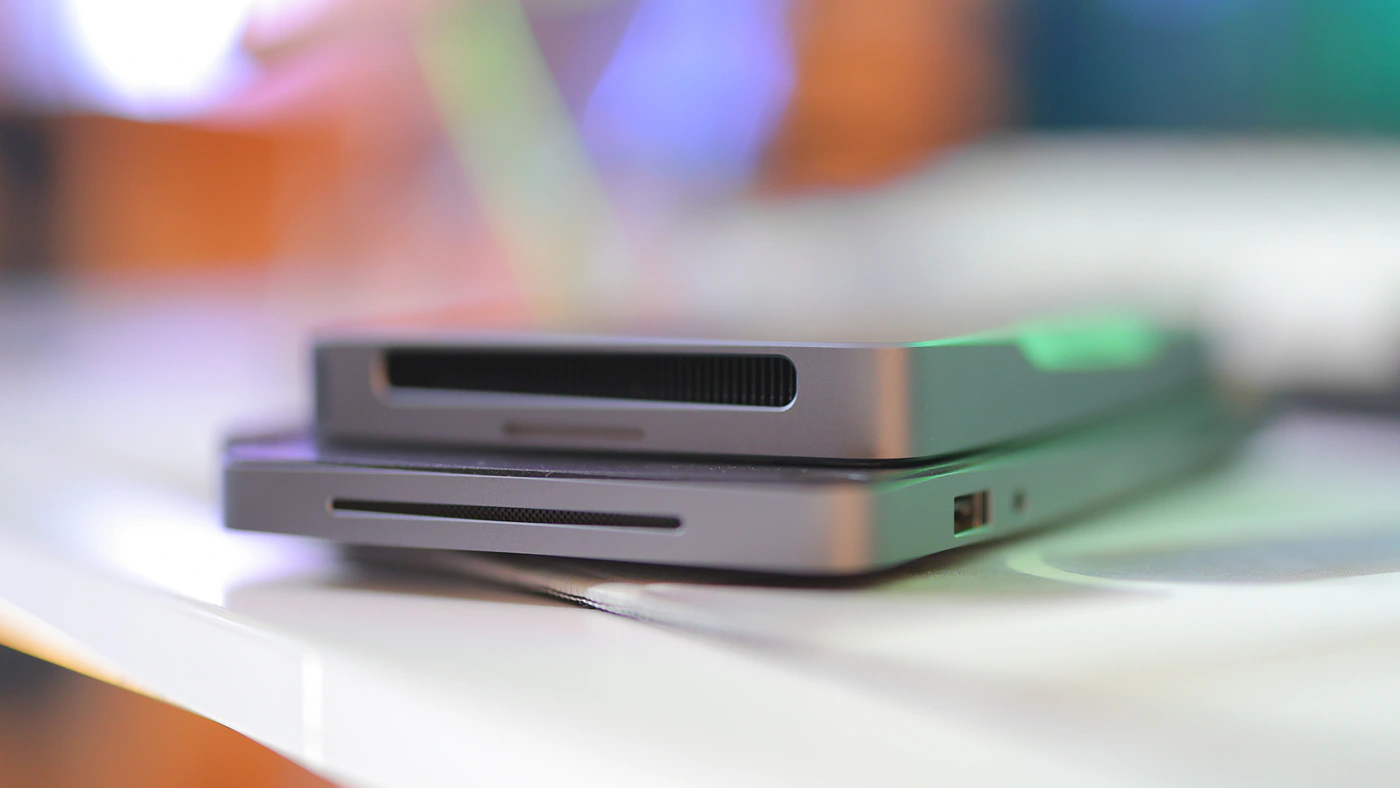
The most important aspect of the Dock is latency and system stability for me, as adding it does not change the smoothness and latency of the Mind 1 one bit. This is brilliant because I actually keep recommend Khadas Mind to audiophiles exactly because it has such a smooth system operation and doesn’t have micro sutters, so you can rest assured and know that you can use the Mind with the Dock and connect a DAC AMP to the USB Type-A port on the Dock and still have the same smoothness and system experience free of stutters even though you just added a complex expansion port to the Mind Mini PC.
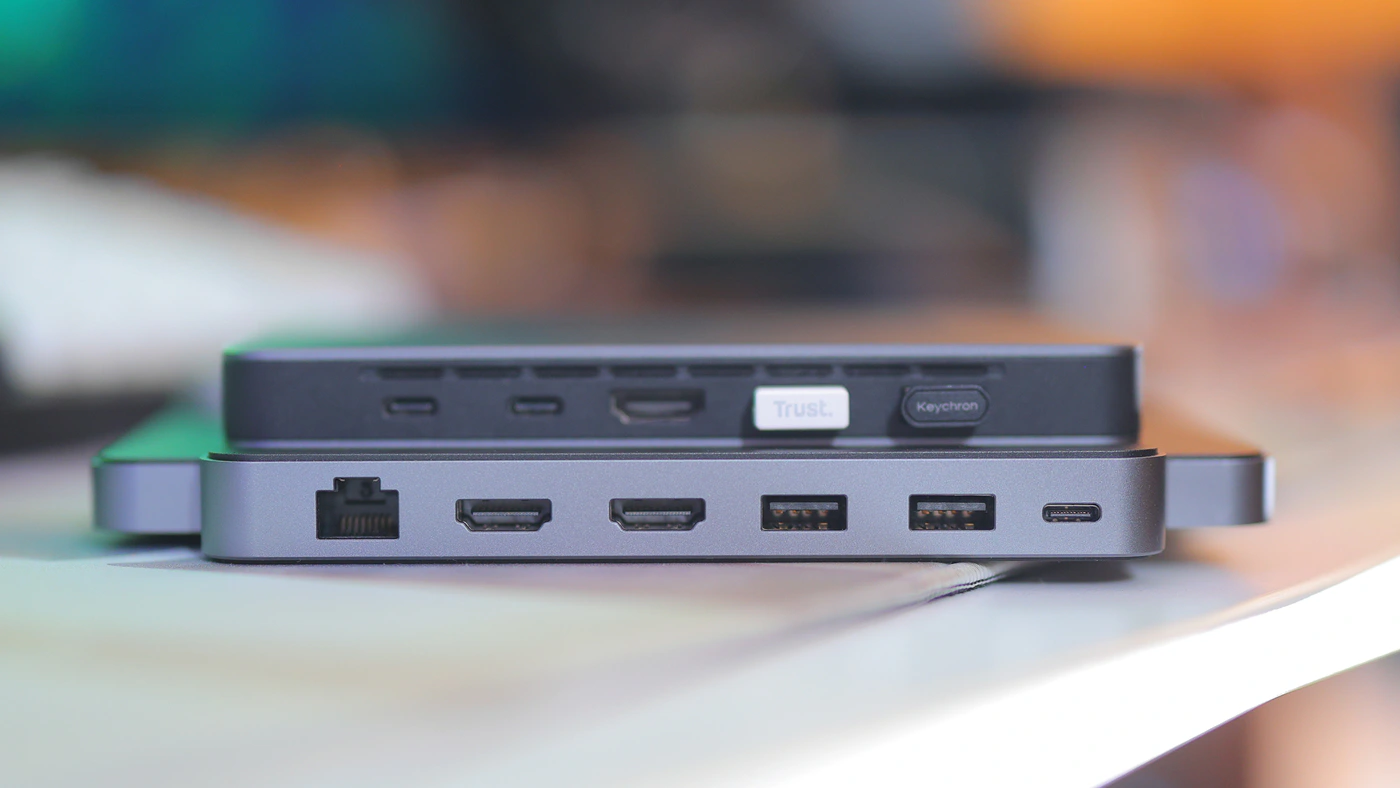
Power Consumption, Loudness and Thermals – Using the Dock does not seem to consume more power nor does it increase or significantly decrease the temperature internally, but Mind is colder to the touch even if pushed to the max while docked on the Mind Dock.
Value and Conclusion
Khadas Mind 1 by itself has an incredible value, but adding the Dock makes it even more versatile and feel like a high-end Desktop PC all while being just as portable. I would often just leave the Mind docked and take them as a combo, but if I need to be really portable, I would sometimes just take the Mind mini PC and have all peripherals connected to it via Bluetooth. I love having the option of increasing the number of Ports, and with a price tag of 179 USD, Mind dock has a similar price to all the other USB Hubs you can purchase but it is made intentionally for Mind mini PC, and will not hinder its operation, introduce noise or stutters, issues which are often present and quite bad with USB Hubs.
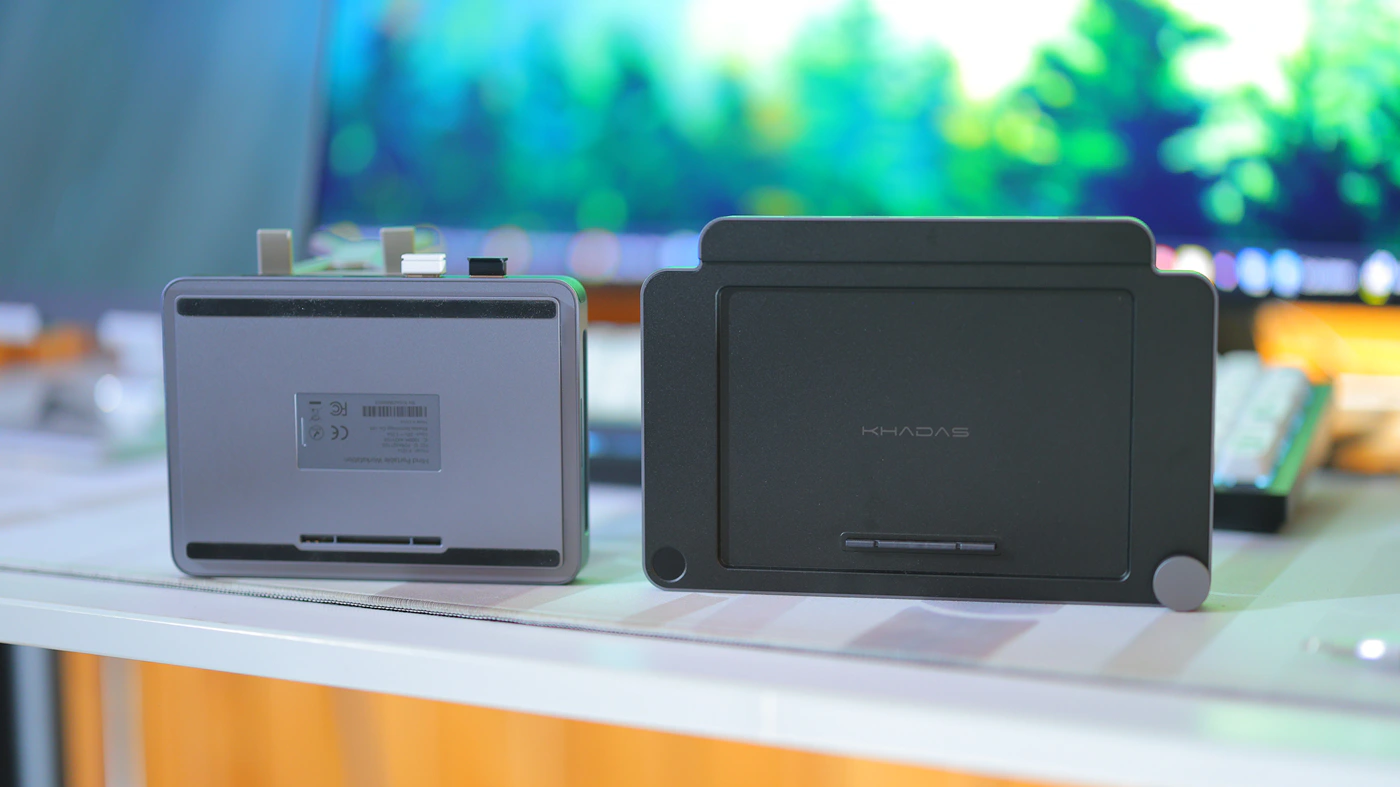
I found the Khadas Mind Dock to be an excellent product, affordable, yet offering a useful expansion to the Mind Mini PC series, with exceptional stability, system smoothness, zero stutters or micro stutters, volume control, fingerprint scanner and multiple HDMI outputs. It is basically a way of increasing the usability of the Mind Mind PC without making it bulky.
PROs
- No increase in the power consumption of the mind mini PC
- No extra heat and it actually keeps the mini PC a bit cooler
- Just as stable and free of micro stutters as the Mind Mini Pc already is
- Nice and modern, with a volume wheel
- Affordable and a great value, even when compared to other non-customized USB Hubs
- Fast and reliable, no extra noise but it adds speakers
- Audio output in a 3.5mm single ended output, with microphone support
- 2.5GHz Ethernet Port at the back
Cons
- HDMI Ports limited to HDMI 2.0 18 Gbps which is 4K 60Hz signals
--- Please remember to stay safe, and always have fun while listening to music!---
- If you have a dime to spare, please donate, and help us! It would make the day brighter for me and my wife-
Full Playlist used for this review
We listened to more songs than those named in this playlist, but those are excellent for identifying a sonic signature. I recommend trying most of the songs from this playlist, especially if you’re searching for new music! The playlists are different for Spotify, Tidal and Youtube, and based on the songs I enjoy and are available on each!
https://www.youtube.com/playlist?list=PL_cjBXGmwSHSdGcwuc_bKbBDGHL4QvYBu
https://open.spotify.com/playlist/5J3oloz8Riy9LxEGenOjQ0?si=979ba4f082414be7
https://tidal.com/browse/playlist/330fd544-8e5b-4839-bd35-676b2edbb3d5
--- Contact Us ---